
Google introduced an updated Search Console Insights report
After an extended period of testing and feedback, Google officially introduced a new version of Search Console Insights, now integrated directly into the main Google Search Console interface. The update replaces the previous beta version and makes website insights easier to access and explore.
What is Search Console Insights?
It is a report designed for content creators, bloggers, and website owners. Its purpose is to help you understand how your content performs and how people engage with it, even without specialist analytics knowledge.
What changed?
Google says the new report offers more insights and closer integration with the Search Console Performance report. This helps simplify the workflow, identify growth opportunities faster, and investigate important areas.
Key report features
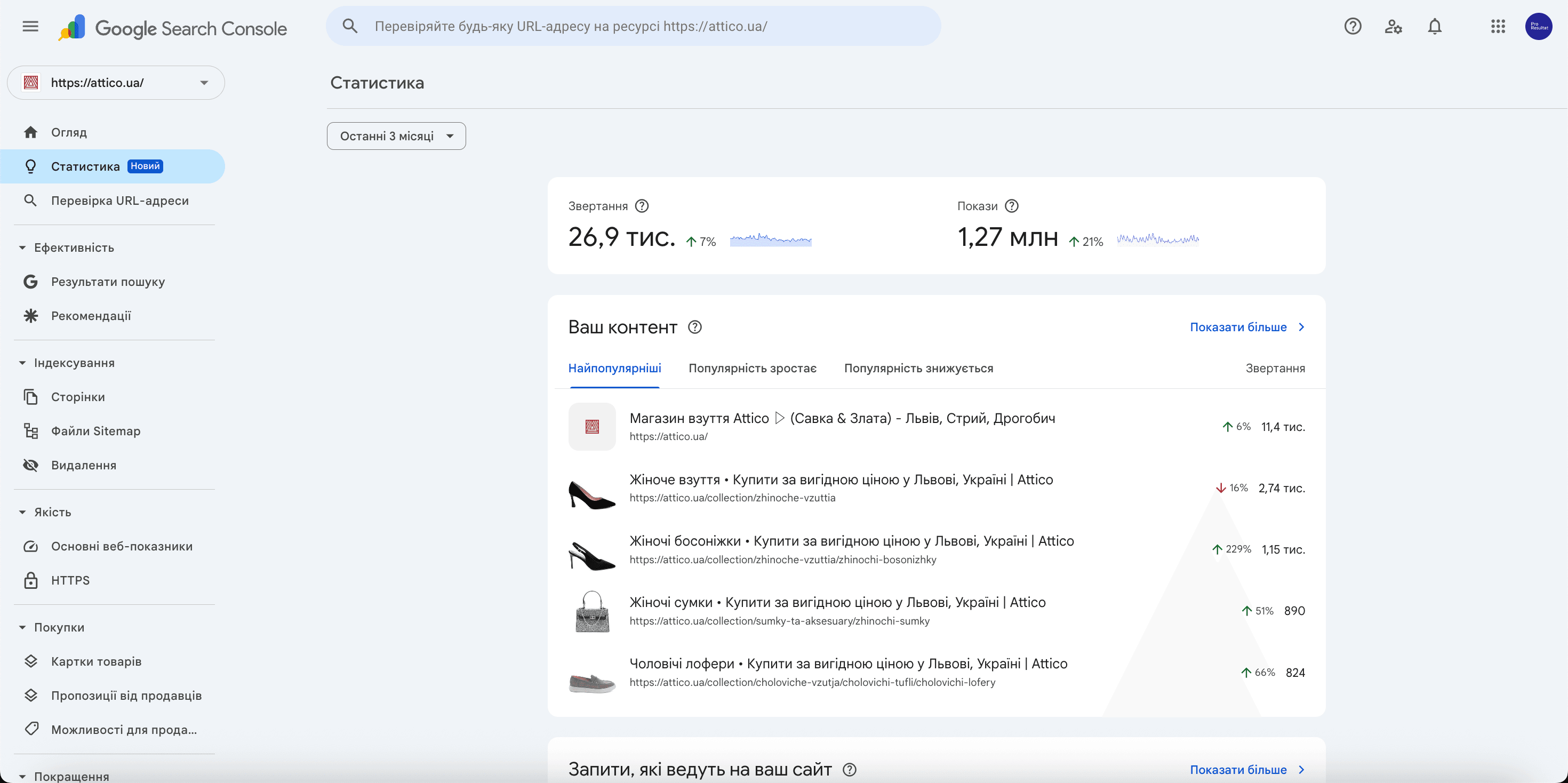
- An overview of total clicks and impressions from Google Search, with a comparison against the previous period.
- Information about the pages receiving the most clicks , helping you identify what is working best on your website.
- Identification of pages trending up in popularity, and pages that need attention because their traffic is declining.
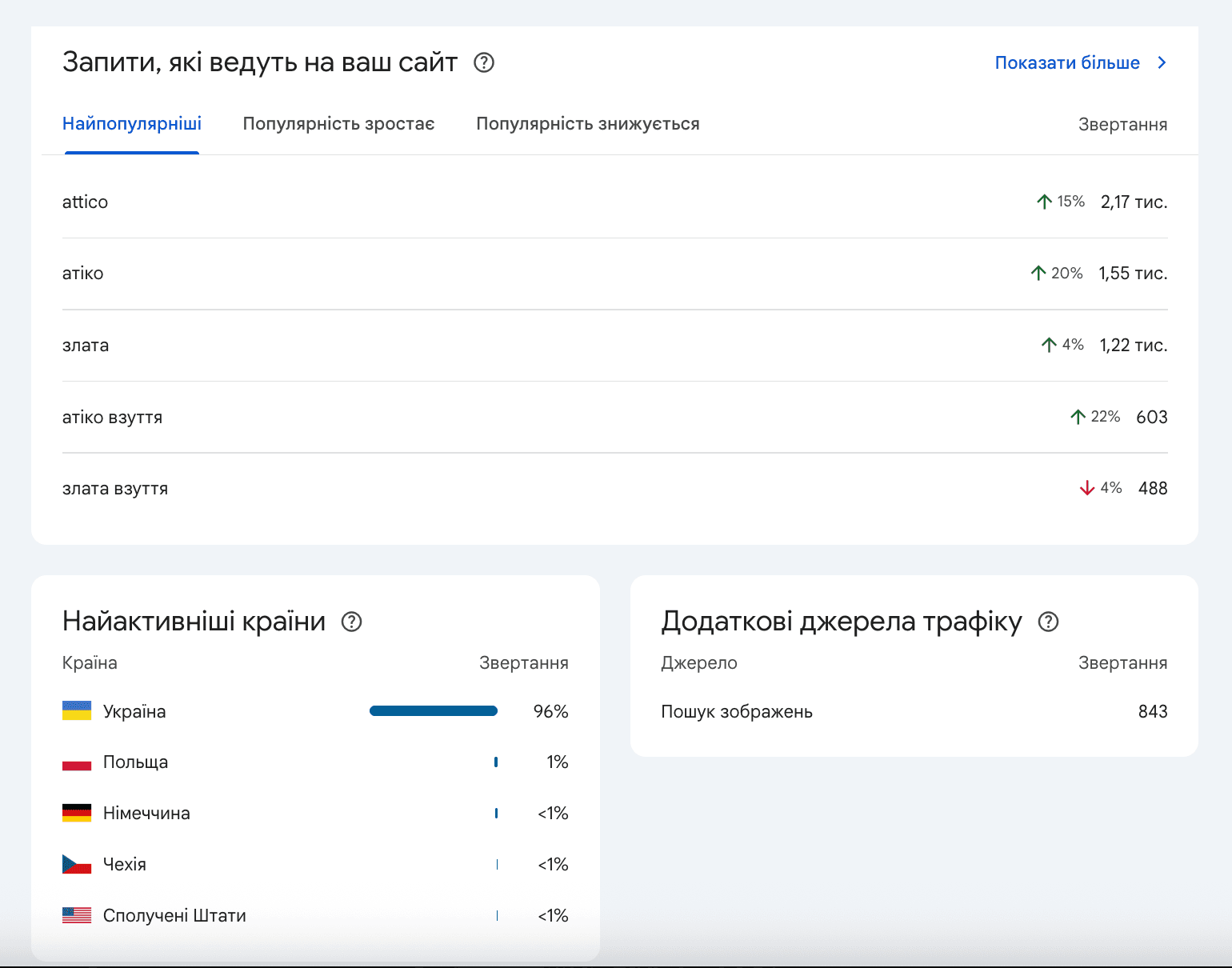
- Analysis of the most popular search queriespeople use to find your website on Google.
- Identification of emerging search queriesthat are gaining popularity and can inspire future content.
- Achievements : a feature for tracking website milestones, such as new records for clicks over a 28-day period.
A note on availability
Search Console features evolve, and individual cards may not be available for every property. Check the current official documentation and your property’s interface.
A tip from Pro Resultat:
We recommend reviewing Insights regularly so you can respond to search performance changes, improve your content, and build on pages that already perform well.
How to turn Insights into a content improvement plan
Start with a specific question: which page lost clicks, which article is gaining attention, or which answers are readers missing? A clear question helps separate a useful observation from a simple change in a number.
- Choose a comparison period. For weekly checks, compare periods of equal length. If the business is seasonal, also review the corresponding period last year. Record campaign dates, redesigns, and major content updates.
- Choose a page to investigate. Look beyond the highest-traffic articles. Include service pages and articles that can help a reader take the next step.
- Move from overview to detail. Insights highlights changes; the Performance report lets you investigate specific queries, pages, countries, and devices. Compare the data with what visitors actually see on the page.
- Form one hypothesis. For example, the title may not communicate the answer, the introduction may be too long, or the article may lack an example readers expect. Document the change you plan and how you will evaluate it.
- Make the change and return to measurement. Record the update date and compare results after enough data accumulates. Rewriting titles, structure, and every link at the same time makes it harder to understand what caused a change.
What to check when metrics change
| Observation | Next check |
| Impressions rise, but clicks barely change | Review the queries bringing up the page, whether its title matches them, and changes in position. Comparing two numbers alone is not enough to establish a cause. |
| One article loses clicks | Check seasonality, the mobile page, URL availability, and changes in demand. Determine whether the decline affects all queries or a specific group. |
| An informational article attracts more readers | Add a relevant link to the next topic or service. Explain why it is useful so readers understand what they will find. |
These are diagnostic hypotheses, not ready-made explanations for every decline. Traffic changes may have several causes. The report shows where to investigate; conclusions require a review of the page and its context.
How to connect article readership with business outcomes
Search visits and inquiries are different stages of the customer journey. Search Console helps you understand search visibility and clicks. To evaluate subsequent website actions, configure analytics events for service views, form submissions, or other actions that matter to the business.
For example, an article about advertising measurement can link naturally to our PPC data quality guide, while a page addressing a practical need can lead to web analytics services. Add links where they continue the discussion, not simply to increase their number.
Frequently asked questions about Search Console Insights
Does Insights replace a full SEO audit?
It is useful for an initial overview, but does not assess every text, site structure, or cause of technical issues. For systematic work, combine reporting data with page reviews and an SEO plan.
How often should I review the report?
A short weekly check and a more detailed monthly review can be a useful starting rhythm. For a small site with limited traffic, longer comparison periods are more helpful than reacting to daily fluctuations.
What if a particular card is missing?
Check Google’s current documentation. Availability depends on rollout status and property data. If the overview you need is unavailable, start with the Performance report.