When you need a Looker Studio dashboard
When data is spread across advertising accounts, analytics and spreadsheets, reviewing performance takes time. We bring agreed metrics into one report so business owners, marketers and advertising specialists can work from a clear shared view.
Compare performance
Review changes in spend, inquiries and purchases and compare periods.
Find the right breakdown
Explore campaigns, channels, products or categories without rebuilding each report manually.
Discuss next steps
Use a shared report when reviewing advertising and planning the work ahead.
Data updates automatically
We configure the source connections, report structure and metrics once. Data then flows automatically from the connected advertising and analytics systems, without manually copying or editing figures in the dashboard.
To review performance, you change dates, select campaigns and use filters. New data sources or changes to your business structure require corresponding configuration updates.
Advertising systems
Google Ads and Meta Ads: spend, campaigns, conversions and conversion value.
Website and search
GA4 and Search Console: traffic, behavior, purchases, search queries, impressions and organic search clicks.
Local presence
Available Google Maps Business Profile metrics through an agreed connector or integration.
We agree on sources according to your goals and access permissions. Meta Ads, Business Profile and other systems may require a third-party connector or a separate integration; any connector fees are agreed before work begins.
Refresh frequency is agreed around the data sources and connection settings. Access and connectors can be maintained as needed.
What your report can include
We adapt the structure to your business and available data. We can use our existing reporting layouts or configure a dedicated set of pages, metrics and filters.
Google Ads
Goals, period comparisons, advertising overviews, campaigns and business segments. Stores can also have product and category breakdowns.
 View the menu
Google Analytics
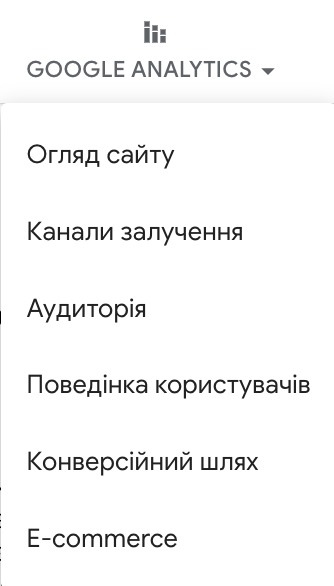
Website overview, acquisition channels, audience, user behavior, conversion journeys and e-commerce.
 View the menu
The example includes pages for one business’s product categories. For your project, we define the page names and structure around your own services, products and goals. Screenshots show a Ukrainian-language report interface.
What a dashboard looks like in practice
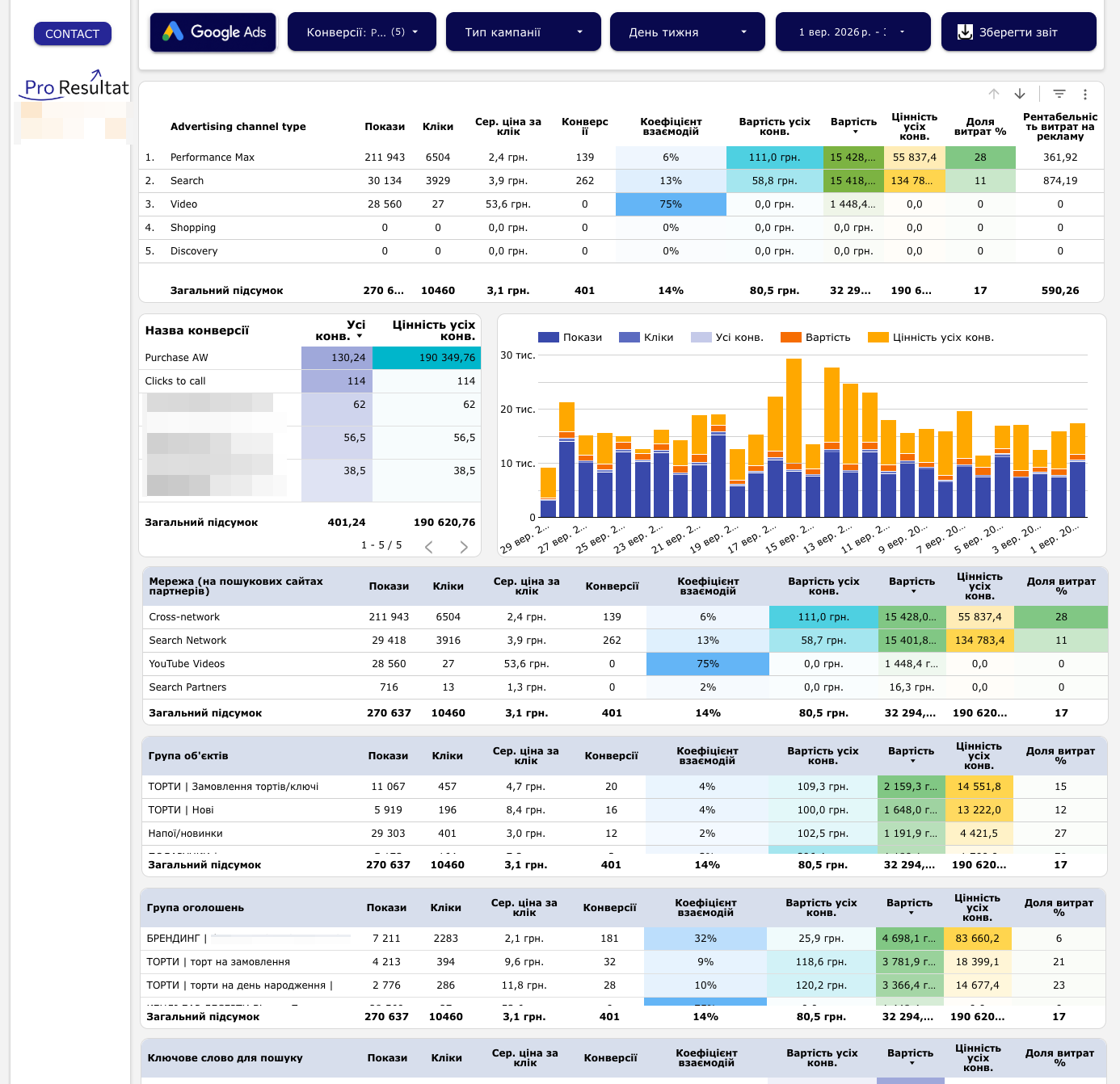
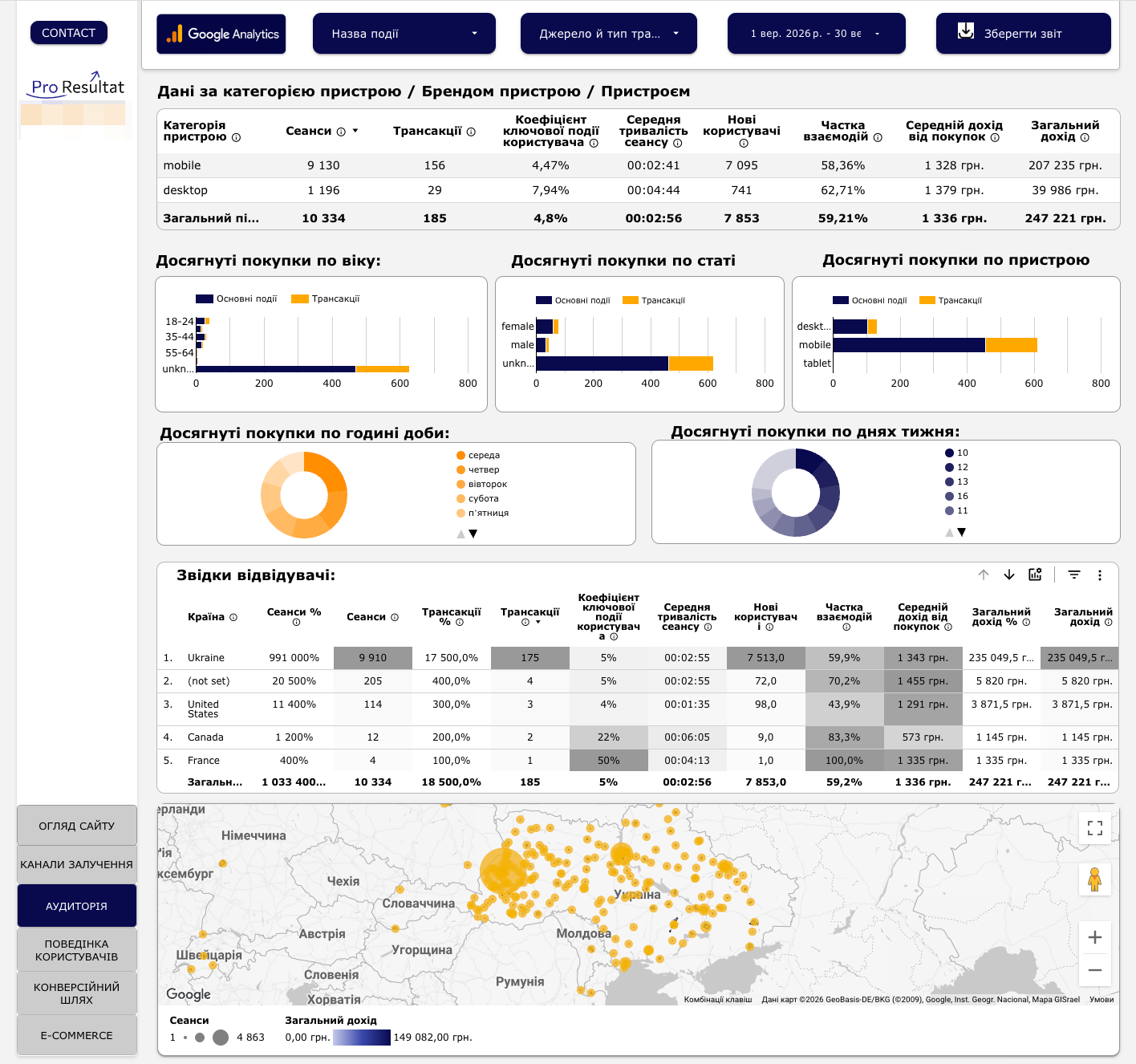
Two examples from our reporting: Google Ads performance and audience, device and geographical breakdowns. Select dates and breakdowns with dashboard filters. Open either image to inspect the details.
Google Ads performance
 Open full-size image
 Audience, devices and geography
 Open image
 The dashboard helps move from an overview to specific questions: which campaigns use the budget, where conversions occur and how performance changes over time. We agree on the conversion definitions and valuation method during setup.
Acquisition channels and events
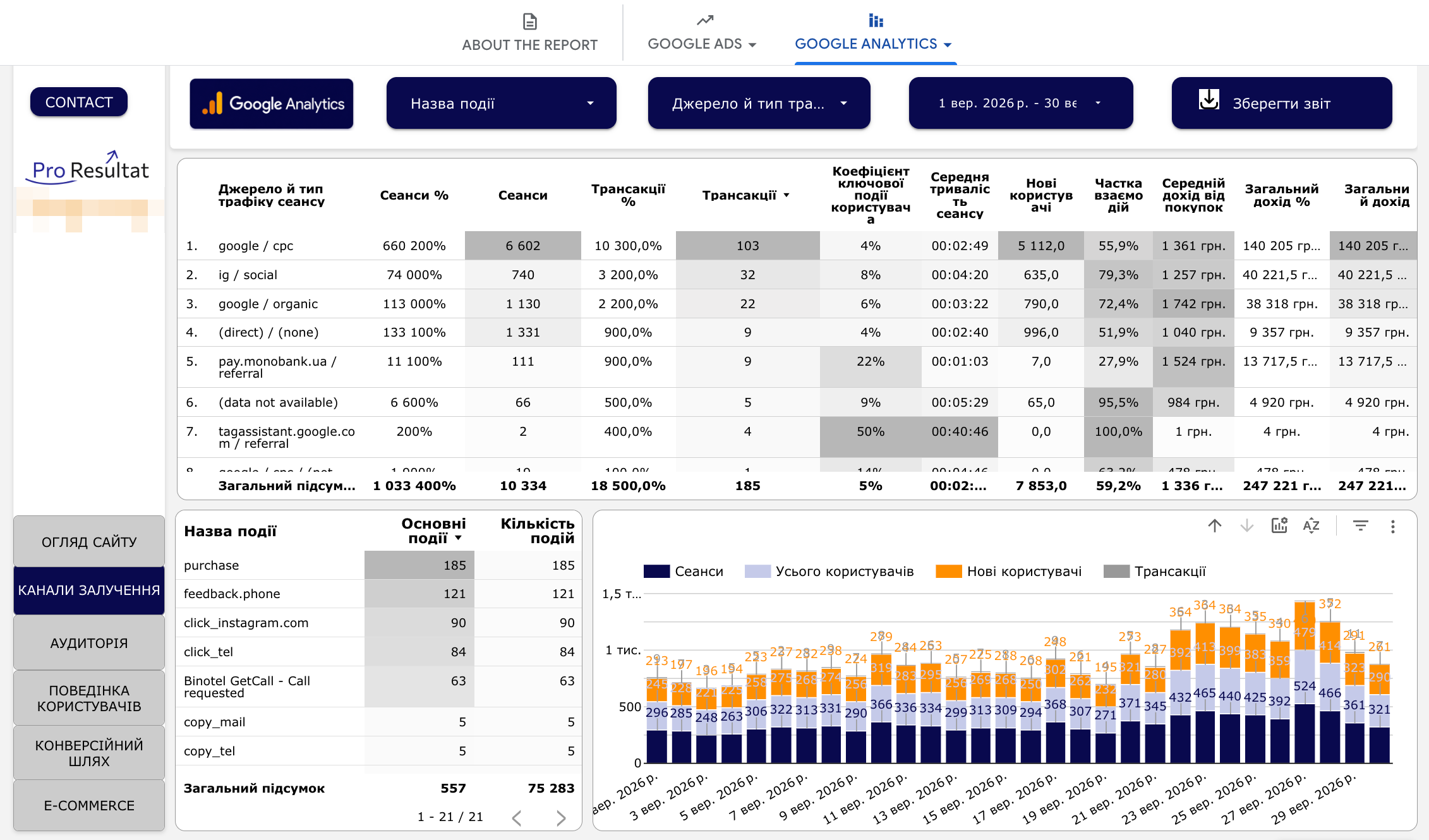 Open image
 Conversion funnel and sales
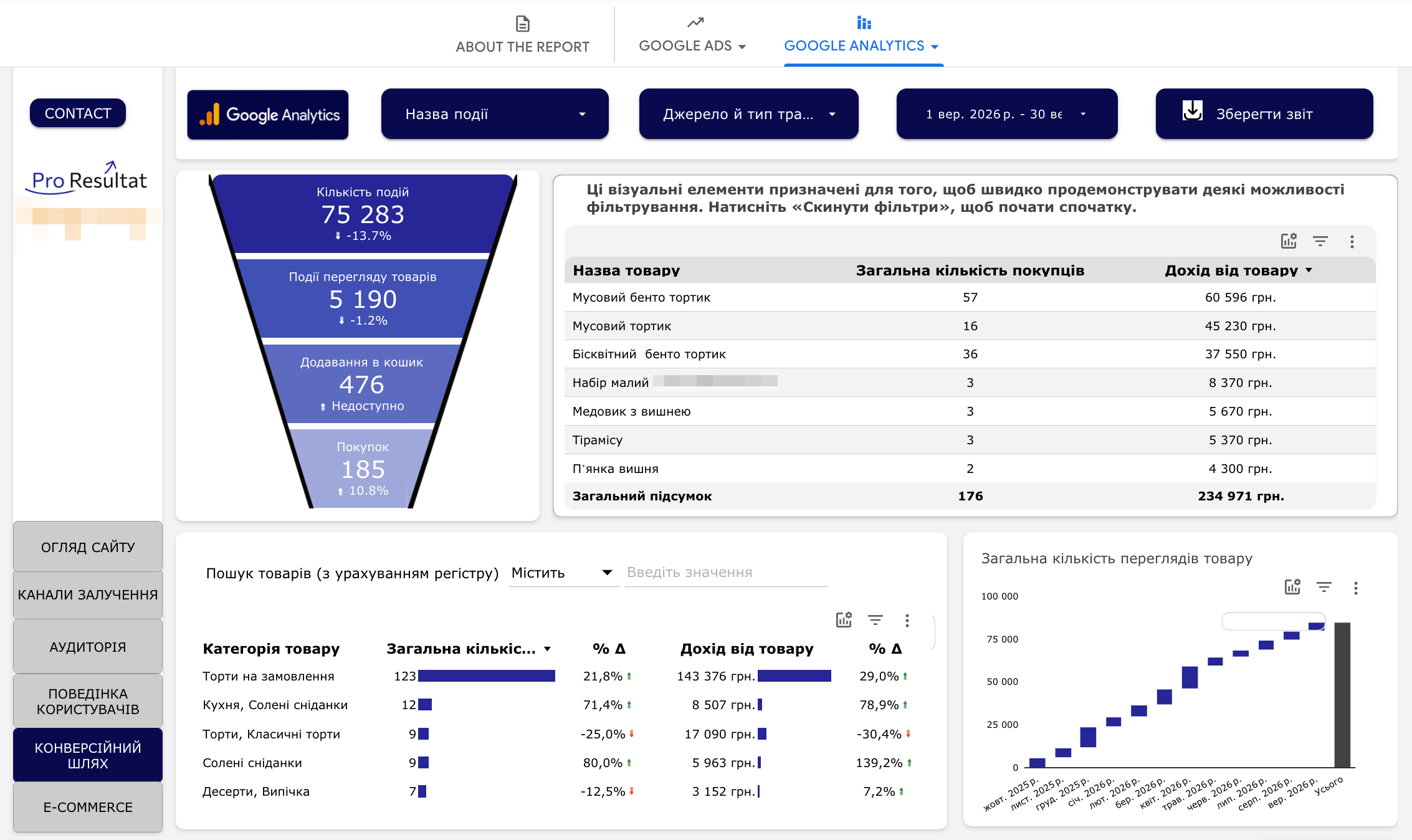 Open image
 What dashboard setup includes
- Define the goal. Identify who will use the report, the decisions they need to make and the metrics those decisions require.
- Review the sources. Agree on connections to advertising accounts, GA4, spreadsheets or other available systems and check whether the required data exists.
- Configure the report. Pages, charts, tables, filters, period comparisons and agreed calculations.
- Validate the metrics. Check date ranges, filters, metric definitions and consistency with the source data.
- Provide access and explain how to use it. Show your team how to read the report, change periods and use filters.
You receive a configured dashboard, rather than just a template copy. The report uses data from connected sources; refresh frequency depends on those sources and connector settings.
If events or purchases are missing from analytics, we first agree on tracking setup. We can also discuss connecting inquiry and lead-status data as part of your web analytics setup.
Pricing and ways to work together
Standalone setup
We connect data sources, select metrics and design a report around your team’s needs. Scope and access arrangements are agreed before work begins.
The final fee depends on the number of sources and pages and the complexity of calculations. Paid connectors, tracking improvements and later report changes are agreed separately.
Reporting within advertising management
Standard reporting is included in the agreed Google Ads or Meta Ads management package. You can view results, change date ranges and filters, and export data.
Our team maintains the report settings and structure. Editing access and transfer of report ownership are not included in this package. Additional sources and integrations are agreed separately.
Discuss reporting for your team or explore Google Ads management and Meta Ads management.