Liliway: a wellness studio website and WordPress online store
From site structure and UX/UI design to a WooCommerce catalog, content entry and launch. One website brings together studio treatments and skincare shopping.
View the results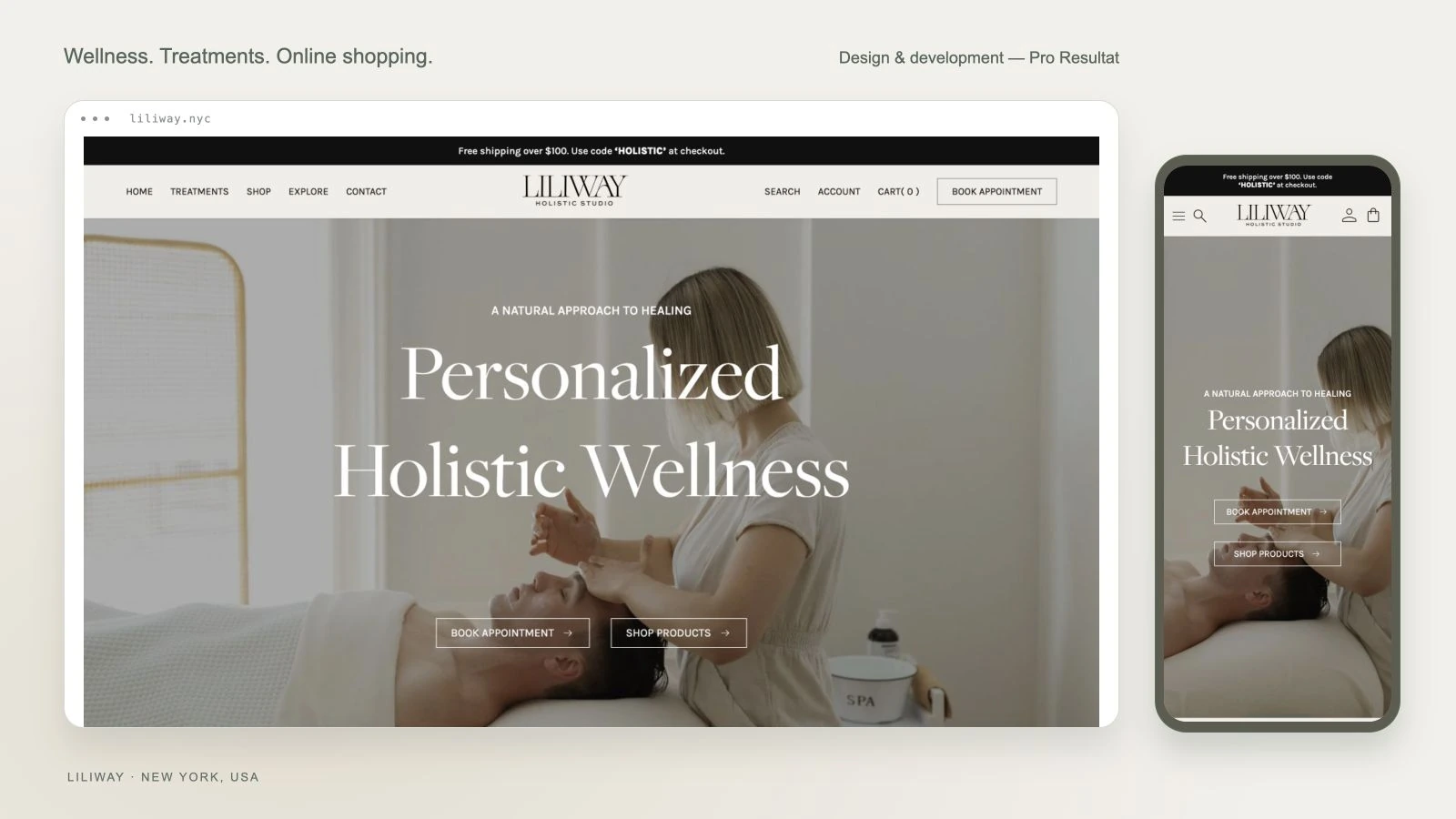
- Website platform
- WordPress
- Product catalog
- WooCommerce
- Project scope
- UX/UI + development
- Market
- New York, USA
About the project
Liliway Holistic Studio is a New York wellness studio offering treatments and skincare products. Its website needs to serve visitors choosing a treatment as well as customers shopping for products to use at home.
Pro Resultat created a new website, from information architecture and interface design to WordPress development. The engagement also included catalog population, technical launch work and post-launch support.
- Client
- Liliway Holistic Studio
- Location
- New York, USA
- Platform
- WordPress / WooCommerce
- Scope
- UX/UI and development
The starting point
The client already had a website, but maintenance was expensive and the site did not fully meet expectations. She needed a new solution that would be practical to manage and develop as the business evolved.
What the new site needed to do
Bring together the studio’s presentation, treatment selection and shop within a consistent visual identity. Visitors need to understand where to book a treatment and where to find and choose a product.
Two stages: Figma design and development
First, the designer reviewed and audited the website, planned its structure and created the layouts in Figma. Once the designs were approved, the developer moved on to front-end implementation and WordPress development. Design took about 30 days, and the subsequent implementation and development stage took approximately 21 days.
01
Structure and user journeys
We reviewed and audited the user journeys, clarified the business requirements and planned the site sections. We mapped the treatment booking journey separately from the shopping journey through categories, products and cart. These findings informed the navigation and design layouts.
02
UX/UI design in Figma
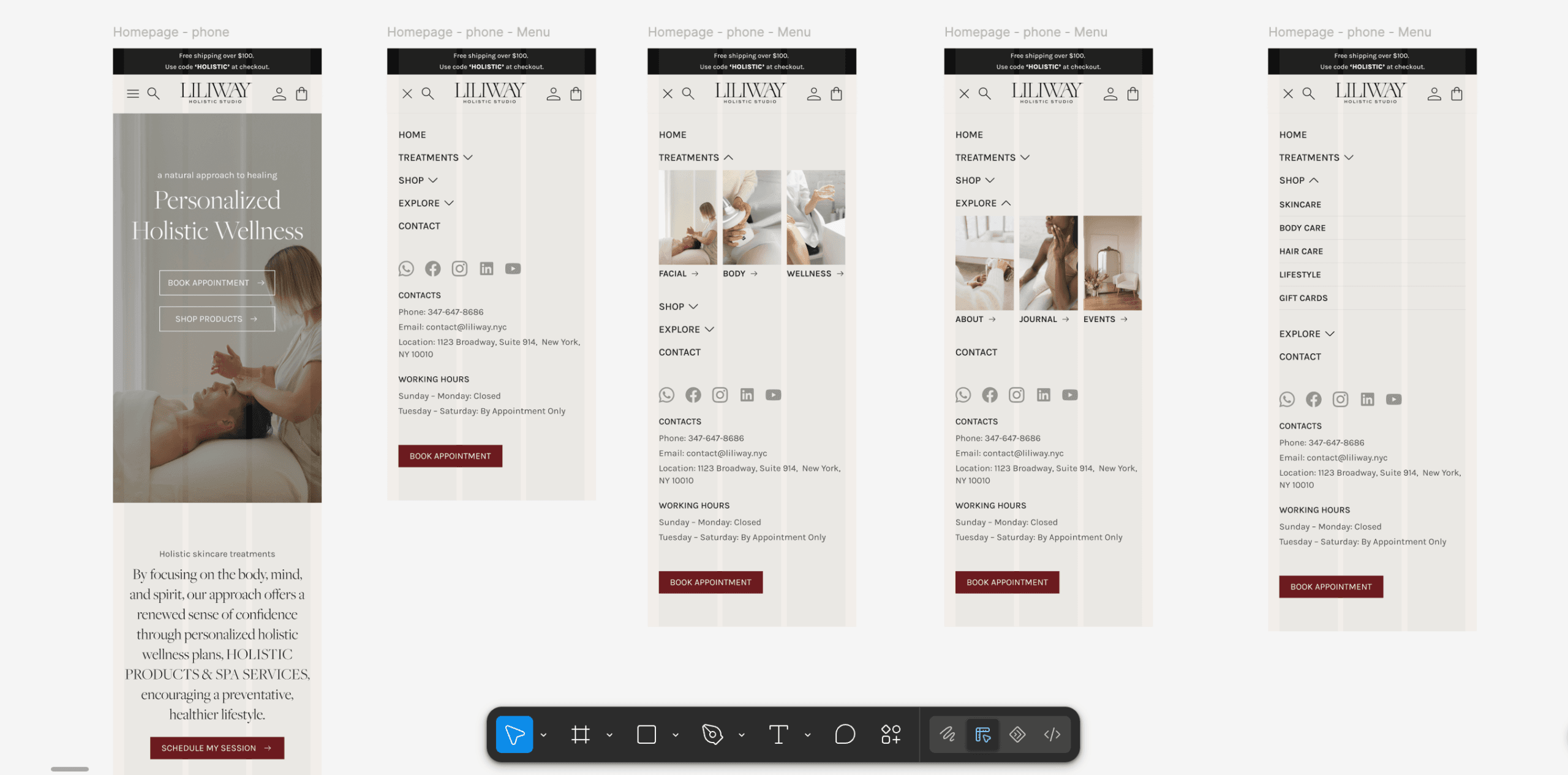
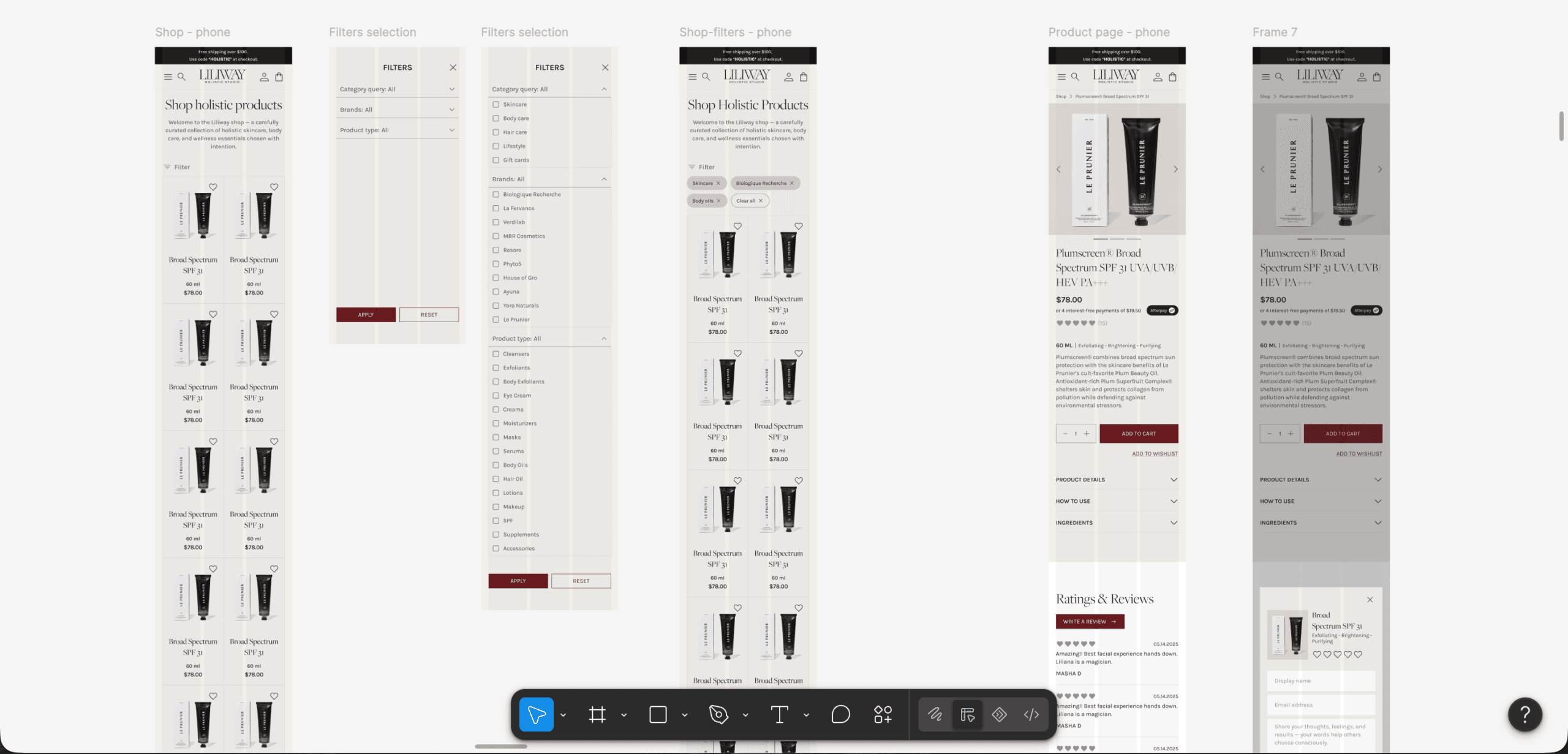
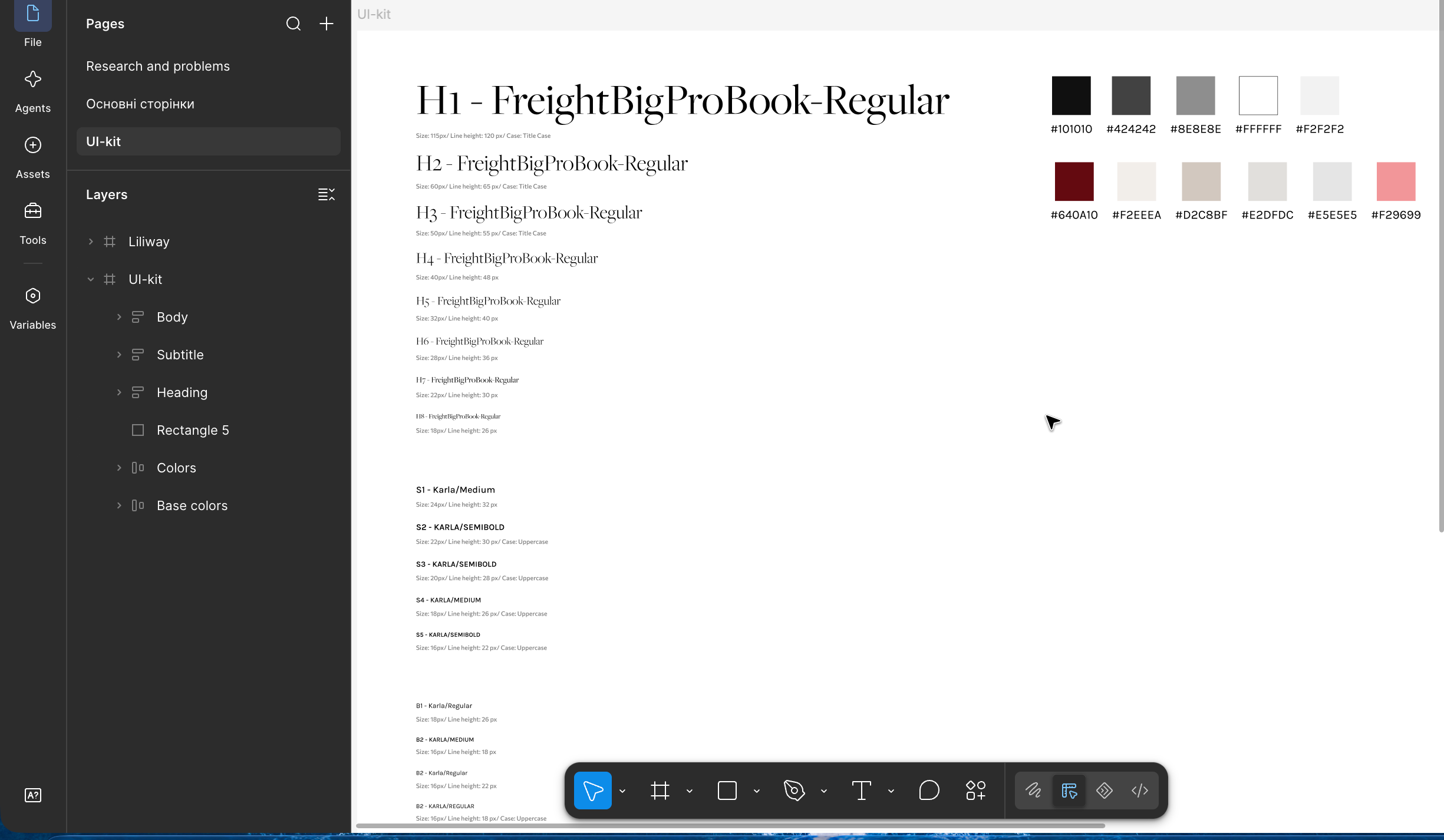
The designer created the main pages and mobile layouts in Figma, including the homepage, navigation, catalog, filters and product pages. A separate UI kit defined typography, colors and reusable elements. The approved layouts then served as the basis for development.
03
WordPress and WooCommerce
After the Figma designs were approved, the developer implemented responsive pages, navigation and a WooCommerce product catalog on WordPress. Service content and online store functionality came together within one content management system.
04
Content and product entry
We helped populate the pages and manually added products. Catalog entry was a distinct part of the engagement, so the client received a store with products in place rather than an empty shop structure.
05
Technical launch
We handled domain connection and DNS work, analytics setup and the agreed integrations, preparing the website to operate on its main domain.
06
Post-launch support
A developer was assigned to handle technical questions, fixes and guidance after launch. The team that built the site remained available as the client began using it.
Figma layouts before development
The web design stage covered page layouts and interaction states. Mobile designs showed the homepage, expanded navigation, catalog filters and product pages. The UI kit documented the agreed typography and colors so the developer could implement the design consistently.
Two journeys in one interface
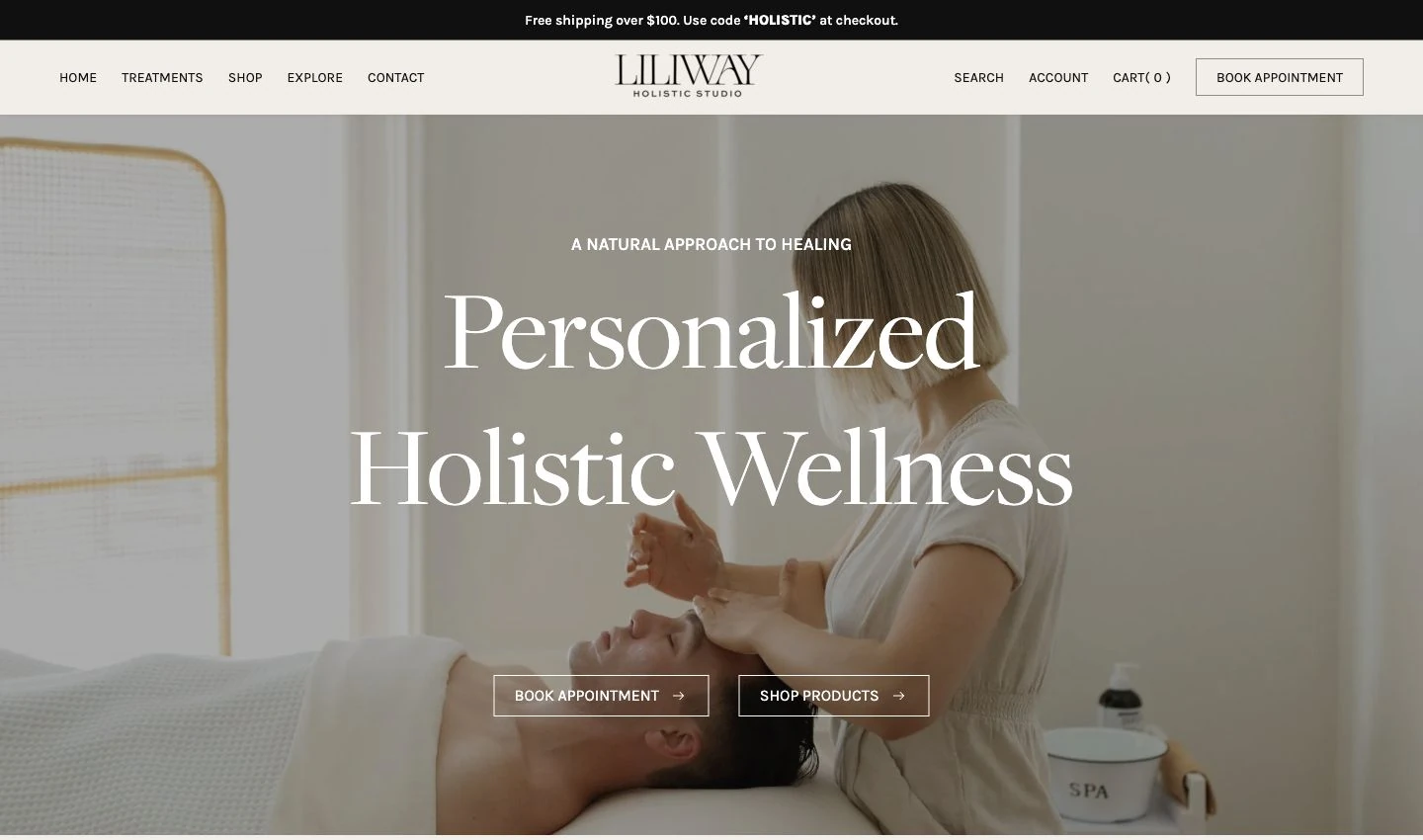
The homepage provides two direct routes: booking a treatment and browsing products. This structure accommodates different visitor intentions, keeping the treatment journey easy to find alongside the shop.
Choosing a treatment: from photography to details
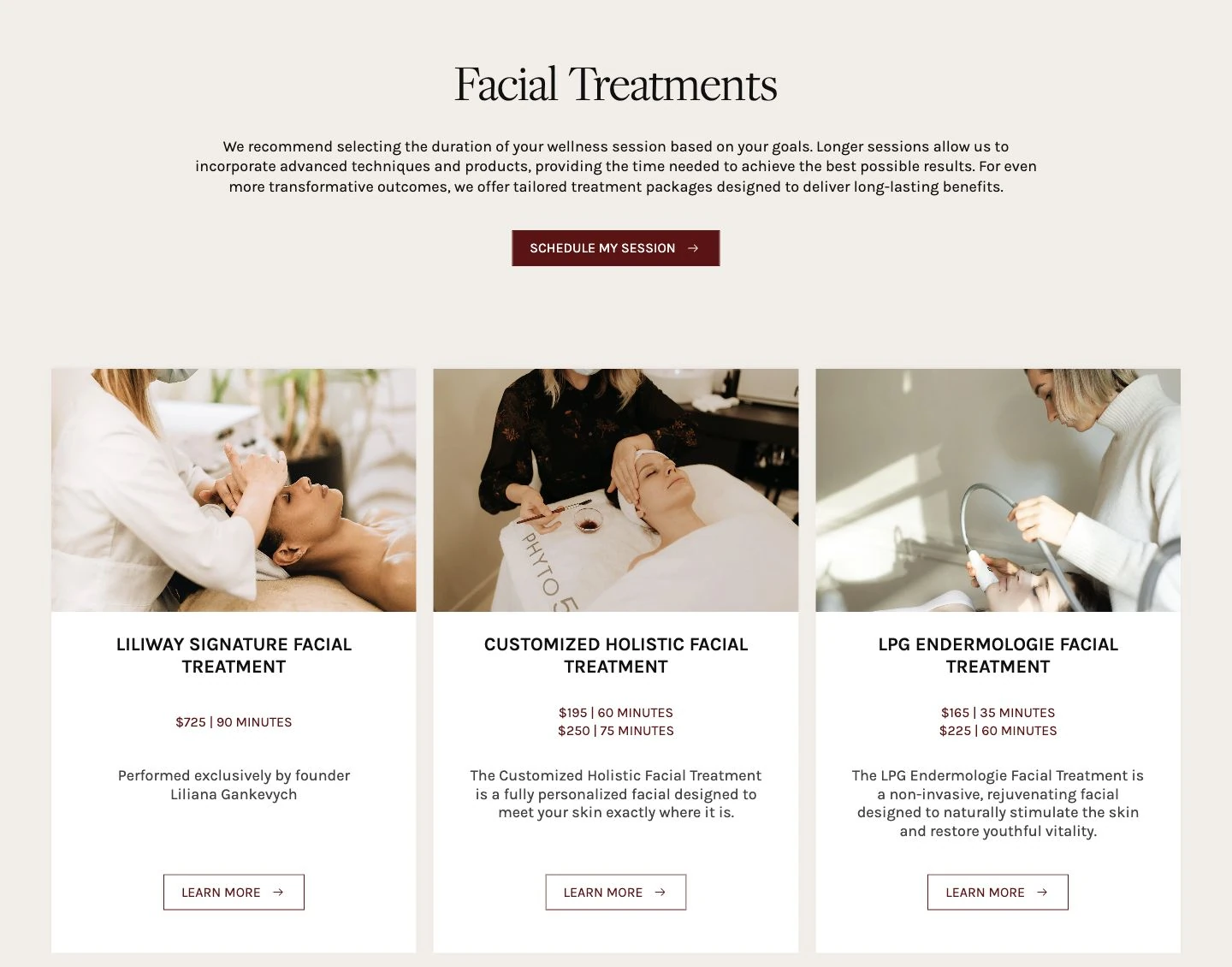
The treatments page pairs large photographs with concise descriptions, duration and pricing. Cards help visitors compare options, open the details and continue towards booking.
A shop that follows the studio’s visual identity
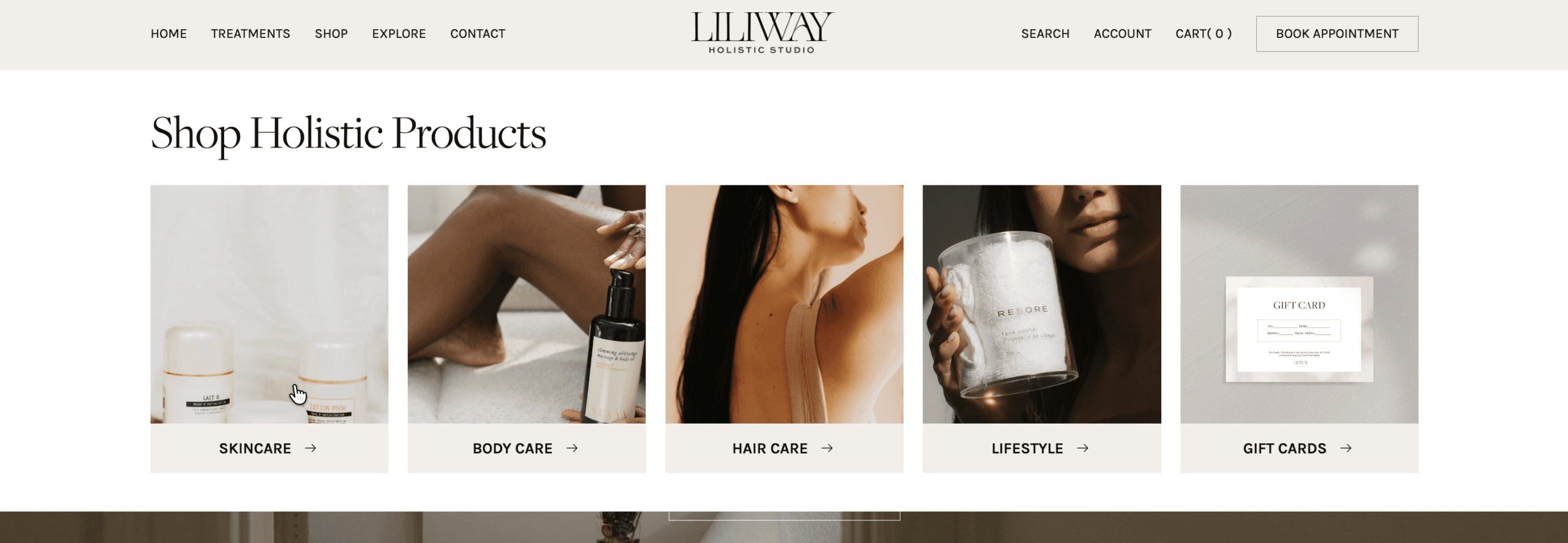
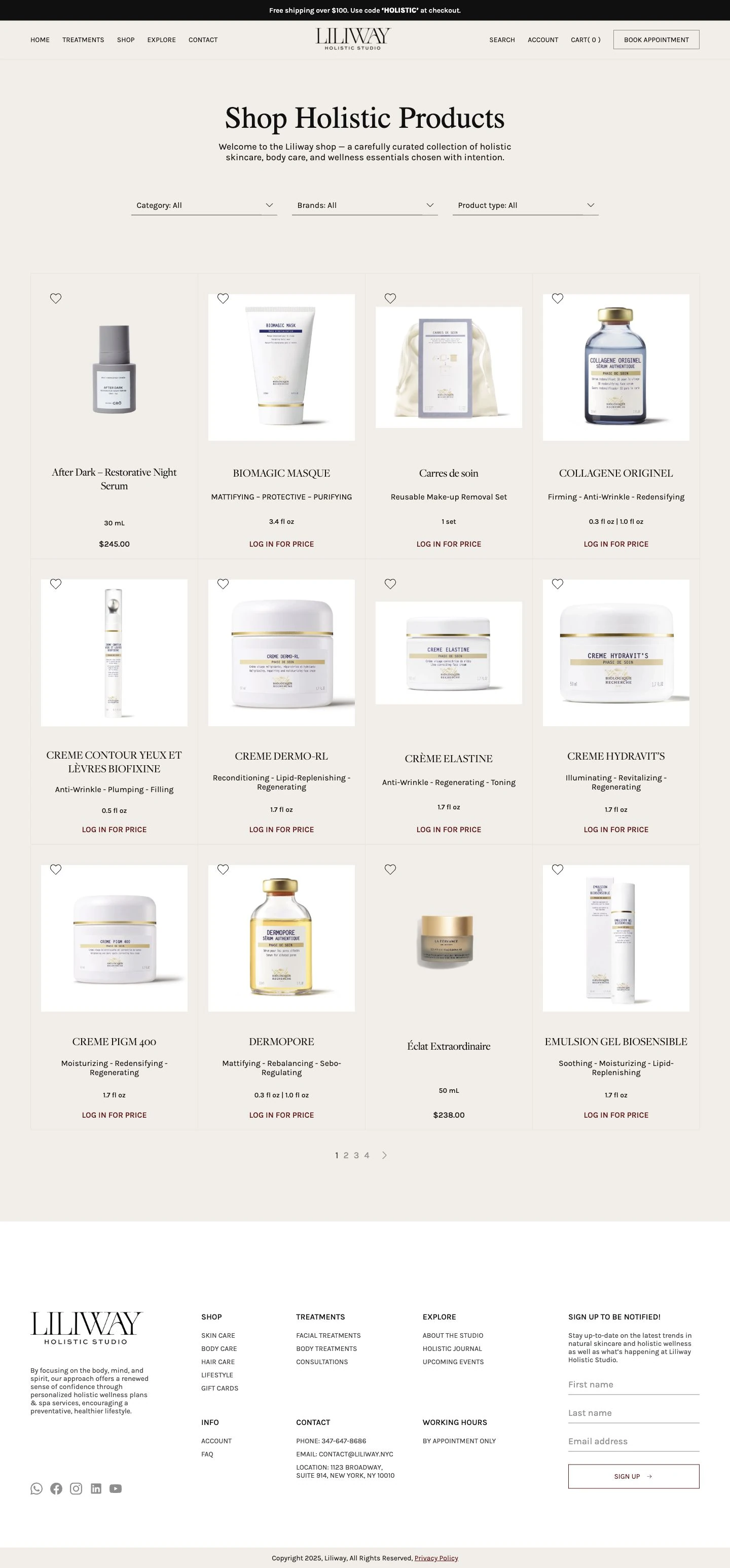
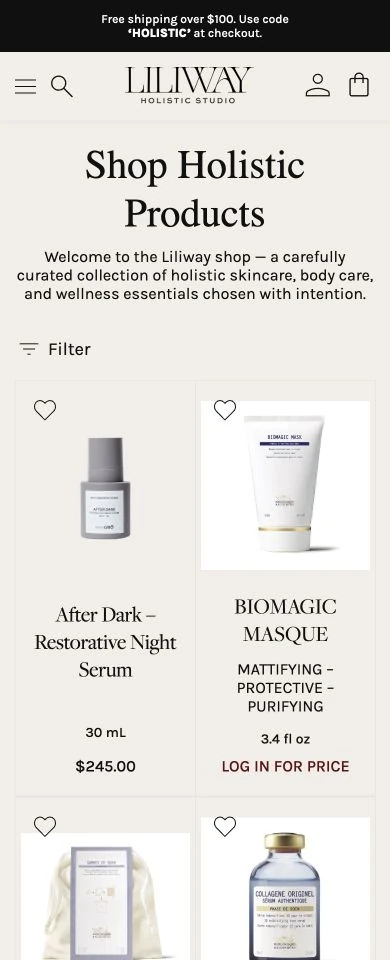
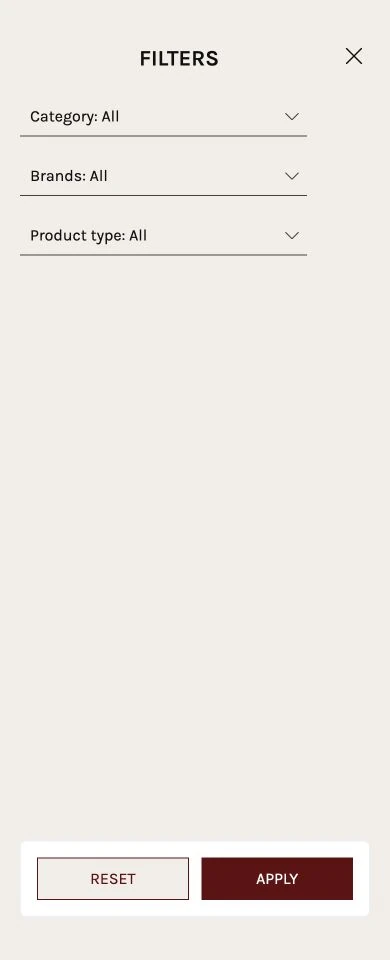
The shop includes care categories and filters for category, brand and product type. The catalog also accommodates different pricing visibility rules: some products display their prices immediately, while others prompt visitors to log in.
A product page with the essential details
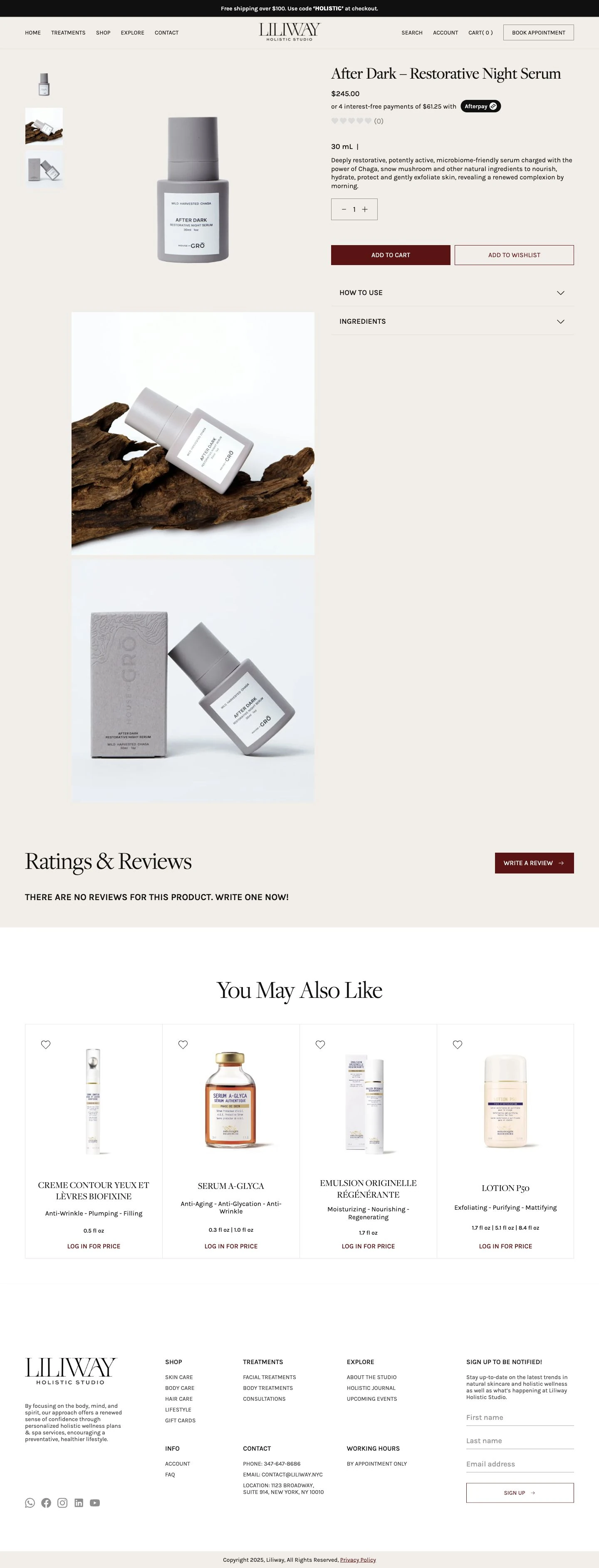
The product page presents an image gallery, price, size and quantity selection. Usage and ingredients sit in separate expandable sections, keeping the page compact.
Finding the studio
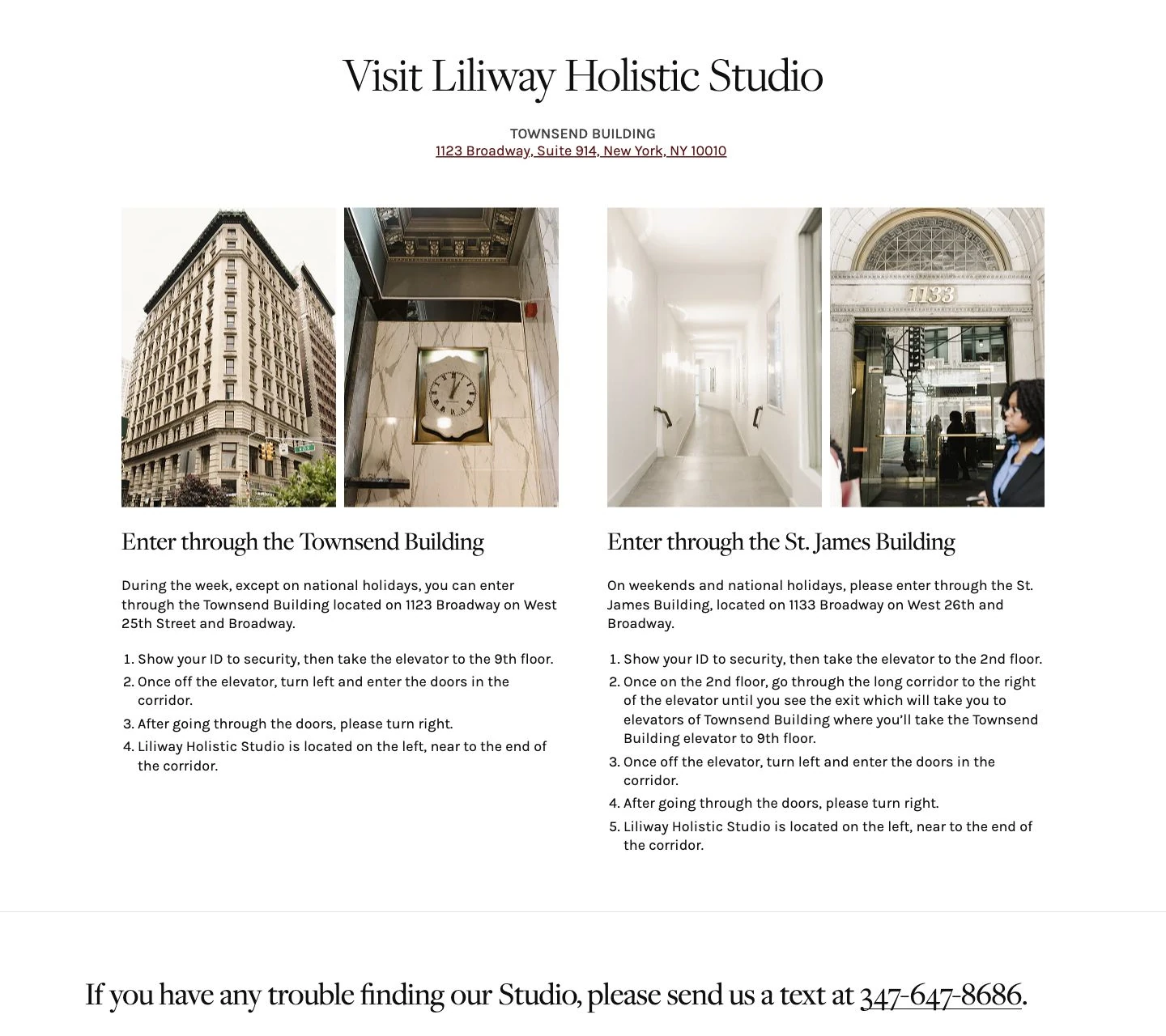
The contact page helps visitors prepare for their appointment with an address, building photographs and instructions for choosing the entrance. The design supports the visitor beyond selecting a treatment.
The homepage and shop on mobile
Mobile visitors retain direct routes to booking and shopping. Products appear in two columns, while filters open in a dedicated panel with apply and reset controls.

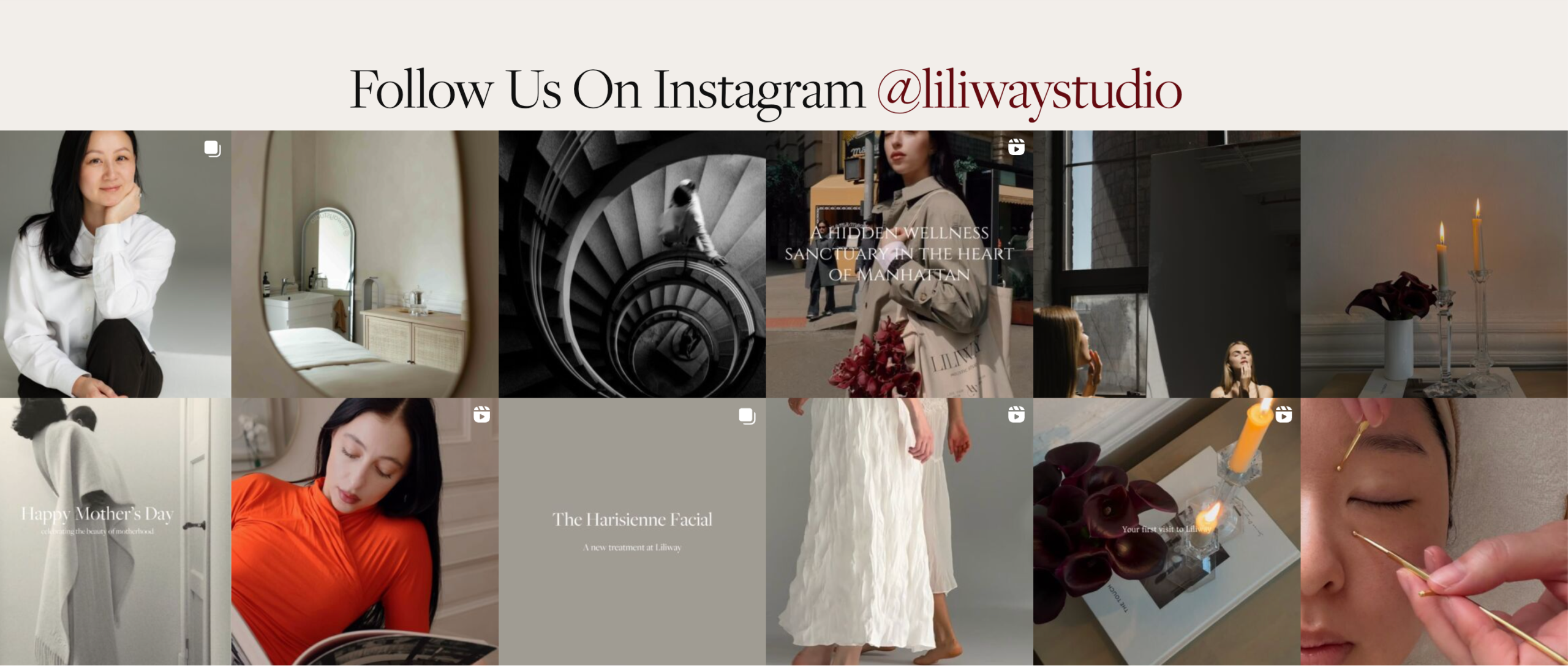
An Instagram feed that stays up to date
The client actively maintains her Instagram account, so we integrated its feed into the website. The “Follow Us On Instagram” section displays posts in two rows. New Instagram posts appear on the website automatically, without needing to add them again in WordPress.
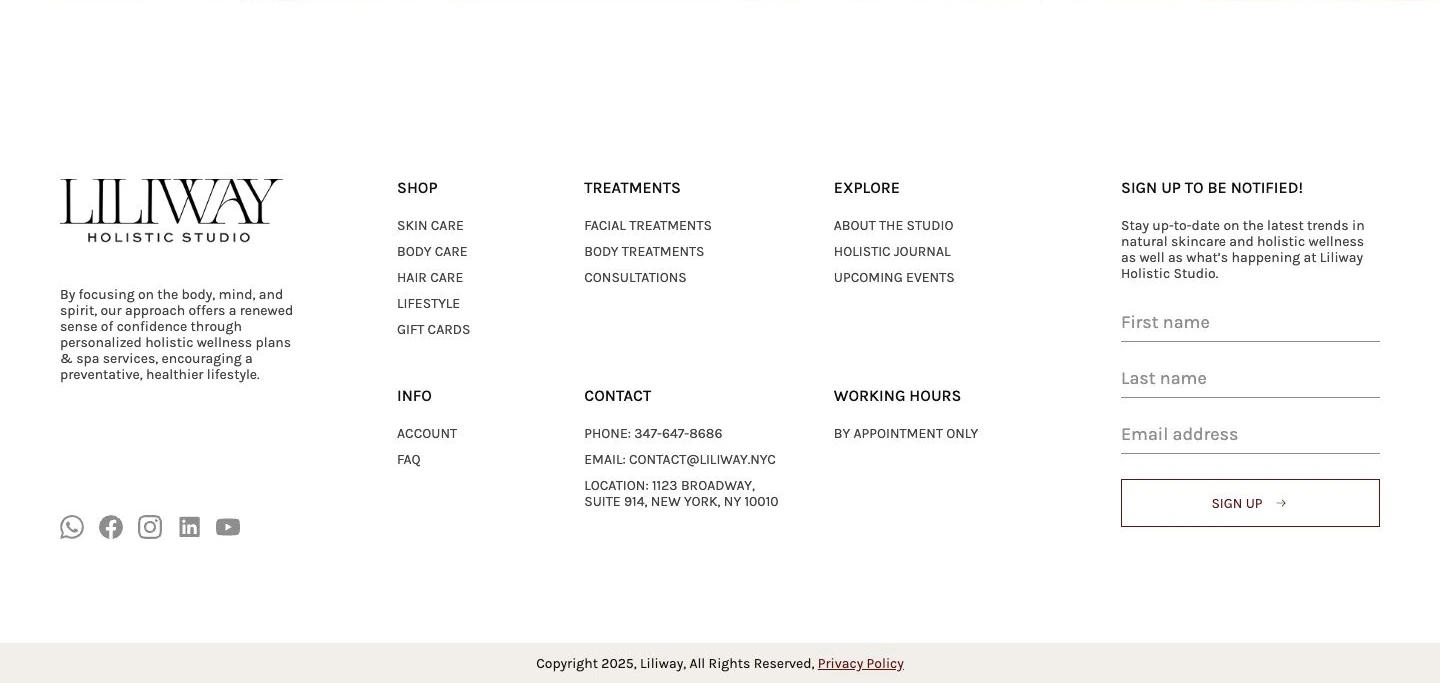
A footer that extends the navigation
The footer brings together shop categories, treatments, information pages and the studio’s contact details, alongside social links and a newsletter signup form. Visitors can find another section or a way to contact the studio even after reaching the bottom of the page.
Timeline and delivery
UX/UI design in Figma took approximately 30 days, followed by around 21 days for front-end implementation and WordPress development. Minor additional revisions were handled separately.
One team supported the project from planning through to the live website, bringing design, technical implementation, content entry and launch into a coordinated process.
What Liliway received
The project delivered a new responsive website with a consistent visual identity and a populated product catalog. It brought together two sides of the business and provided a foundation for managing content and products.
One website for studio and shop
Treatments, the booking journey and the skincare catalog share a coherent structure.
A foundation for content management
Pages and products are managed through WordPress and WooCommerce for ongoing website administration.
Launch with technical follow-up
Domain, DNS and integration work was followed by developer support.
When this approach makes sense
When a business sells products and provides services, both journeys need to be considered during planning. For Liliway, we began with visitor journeys and site structure before moving into design, development and content entry.
For a similar project, explore our full-cycle website development and e-commerce website development services. If you already have a website and want to discuss a new version, tell us about your project.
Explore our corporate website development service.