Google Ads Colorizer: metric changes at a glance
A free Chrome extension that highlights metric changes when comparing date ranges in Google Ads.
- Format
- Chrome extension
- Platform
- Google Ads
- Color logic
- Metric-aware
- Price
- Free
About the tool
Google Ads Colorizer is a free Chrome extension by Pro Resultat. It highlights percentage changes in Google Ads so you can quickly spot metrics worth investigating.
The challenge: spotting changes among numbers
Clicks, impressions, CTR, conversions and their cost appear in adjacent columns. Date comparisons add a percentage change to each value. To interpret it, the specialist must relate the sign of the change to the type of metric.
The approach: metric-aware highlighting
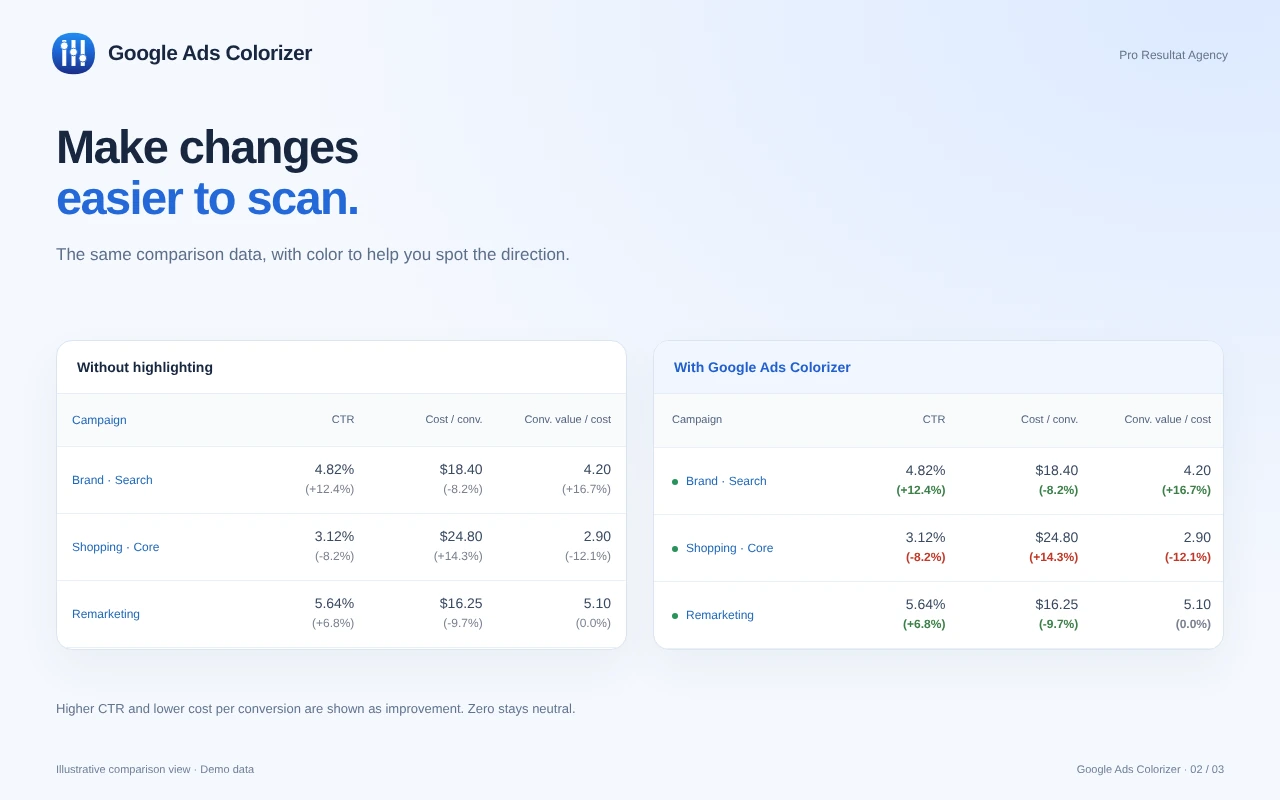
A plus sign does not always mean improvement. An increase in CTR may be desirable, while an increase in cost per conversion may not be. Colorizer uses rules for recognized metrics so specialists can see the direction of change at a glance in their Google Ads account.
Before and after highlighting
The comparison shows how colour cues help specialists spot metric changes in their Google Ads account.
The color logic
01
CTR rises
An increase in CTR is highlighted as a positive direction of change.
02
Cost per conversion falls
A reduction in cost per conversion receives a positive color too.
03
No change
A zero change stays neutral so it does not distract from other indicators.
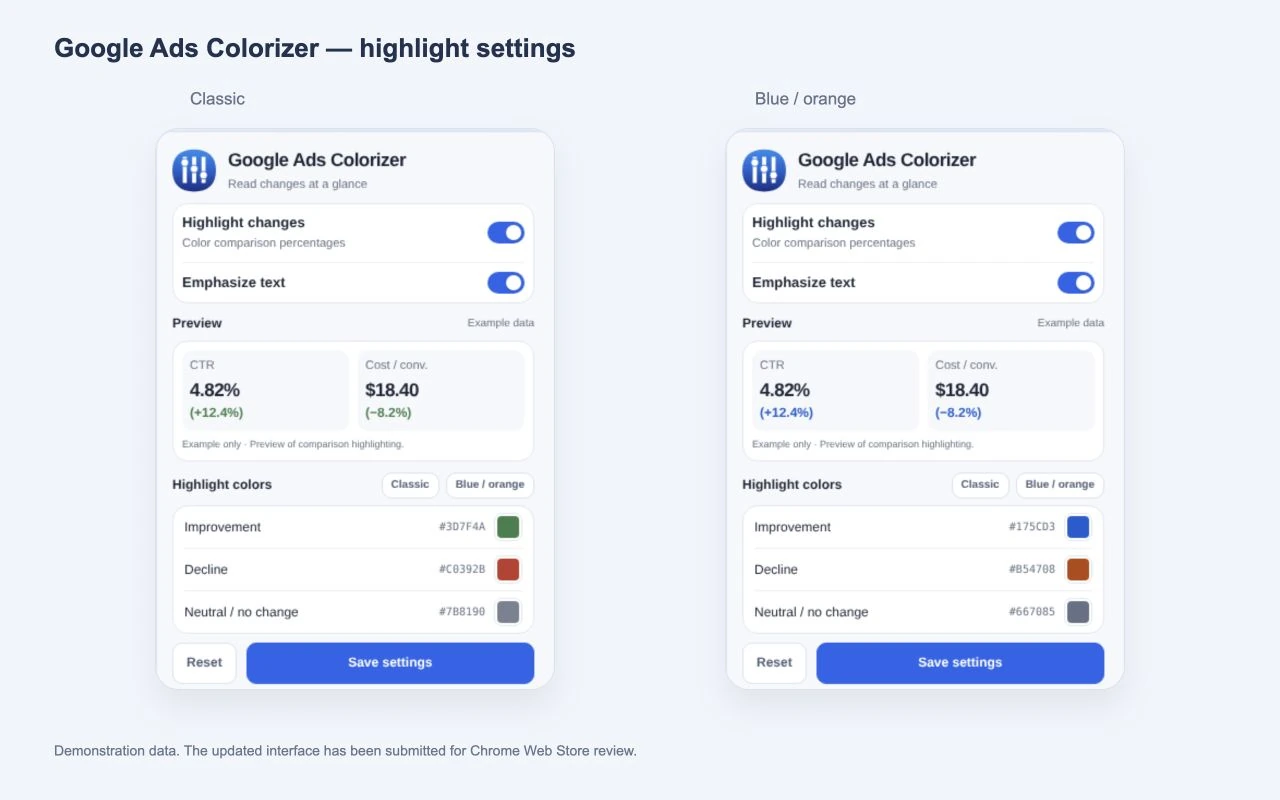
Settings for the workflow
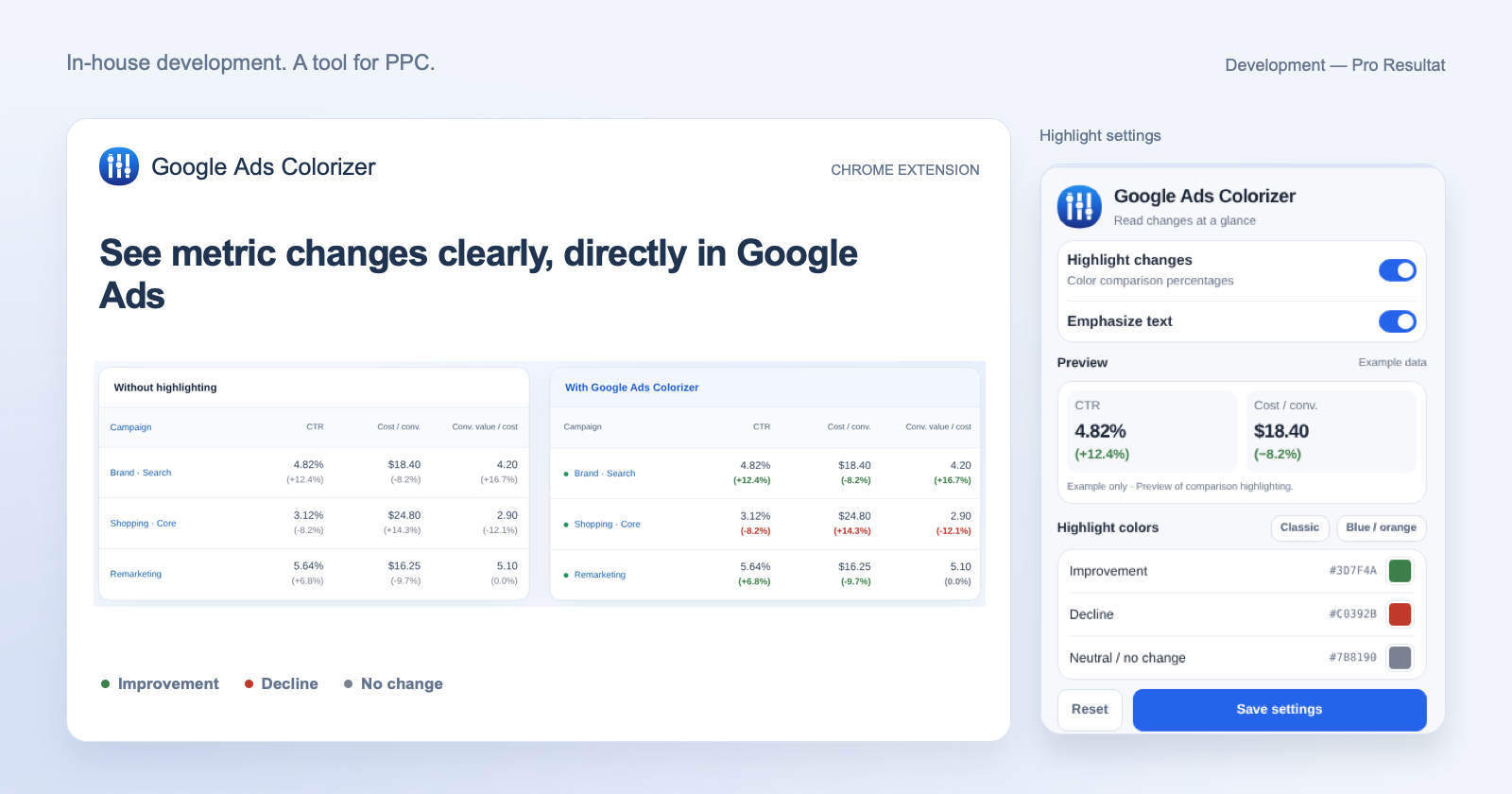
Choose the Classic or Blue / orange palette, set custom colors and adjust text highlighting.
A free tool for Google Ads specialists
Install the extension from the Chrome Web Store, open Google Ads and enable date-range comparison. Colorizer will highlight changes in supported metrics.
Install Google Ads Colorizer for free
The extension helps you read performance changes during a Google Ads audit and ongoing campaign management.