OrderCheck: fake order checks and Google Ads conversion control
Cart and purchase-data checks for online stores. OrderCheck by Pro Resultat helps control invalid events before Google Ads reporting.
View the results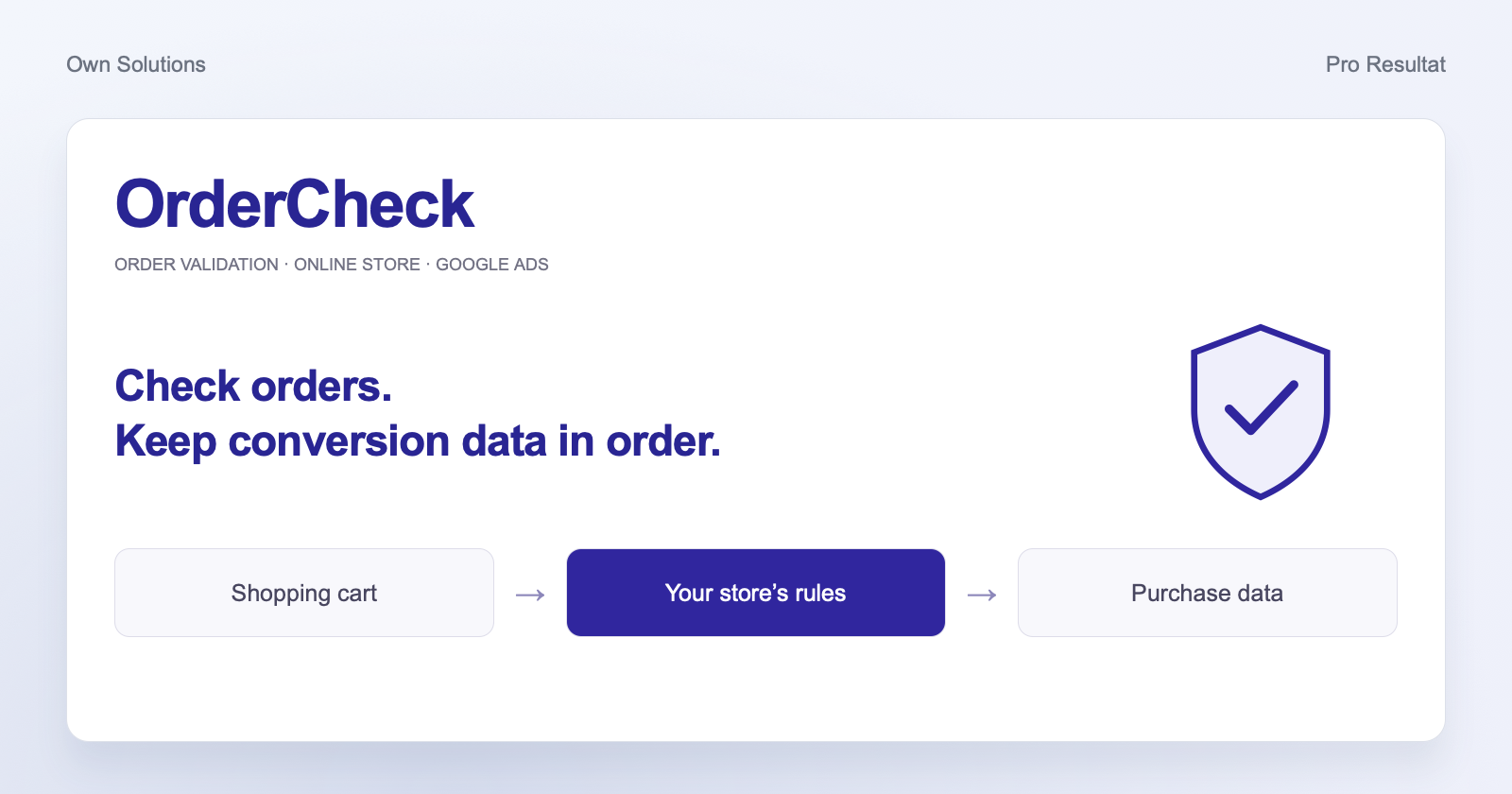
- Cart rules
- For your site
- Conversion control
- Before the Ads tag
- Store events
- Separate log
- Management
- One system
A fake order should not become a successful-sale signal
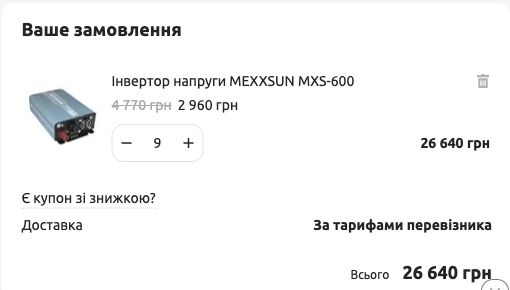
An order for more than two billion product units appeared in an online store. It meant extra investigation for the team and a risk of false purchase value reaching advertising. We developed OrderCheck to validate the cart and order data before the configured Google Ads tag fires.
Our solution: check the cart and the advertising event
In this project, we implemented OrderCheck in a Horoshop store, adding quantity validation, a clear shopper message and purchase-data checks. The threshold was tailored to the store’s catalogue so normal orders could proceed and excessive quantities required correction.
In the cart
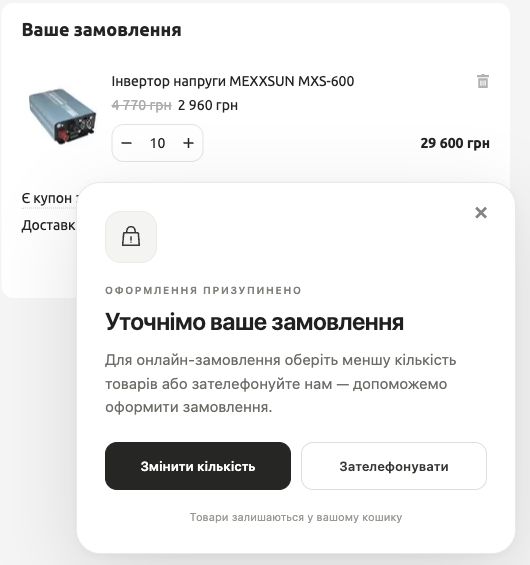
If a rule is triggered, the shopper sees a message and can correct the order.
Before reporting to advertising
The event must pass the configured checks before the corresponding Google Ads tag fires.
How it works for the shopper
At the quantity threshold, browser checkout pauses. The shopper can reduce quantities or contact the store. The cart is retained, and checkout becomes available again after correction.
Event monitoring, with support from our team
Store events are recorded in a dedicated Google Sheets log, where the team can review received purchases and incidents. We manage the connection and logging settings, test scenarios and support the integration. When several stores are connected, their histories and rules remain separate.

What the implementation delivered
Checks before checkout
The cart is checked against the configured rule, with a clear way to correct quantities.
Advertising data control
Events that fail OrderCheck validation do not fire the configured Google Ads tag.
A history for investigating incidents
Received events are stored separately for the store and can be reviewed.
OrderCheck runs in the browser. Direct server requests and other conversion-reporting channels are reviewed separately during the integration audit.
Connecting the store, analytics and advertising
We adapt OrderCheck to an online store after reviewing its cart, checkout and available integrations. It is one example of our e-commerce solutions. We review the purchase journey from cart to advertising report. Where needed, we configure order delivery to CRM, e-commerce analytics and Google Ads so the team can work with consistent data.
Suspicious orders in your store?
Send your store URL and an example of a problematic order with personal data removed. We’ll review the cart, purchase events and advertising reporting, then propose OrderCheck implementation and any integration changes needed.
What to do about conversions already reported
For the impact on optimisation and what to check in your account, read our practical guide.