Uptime Monitor: website availability checks and Telegram alerts
A Pro Resultat solution for page availability and HTTP checks, Telegram alerts and an event history in Google Sheets.
View the results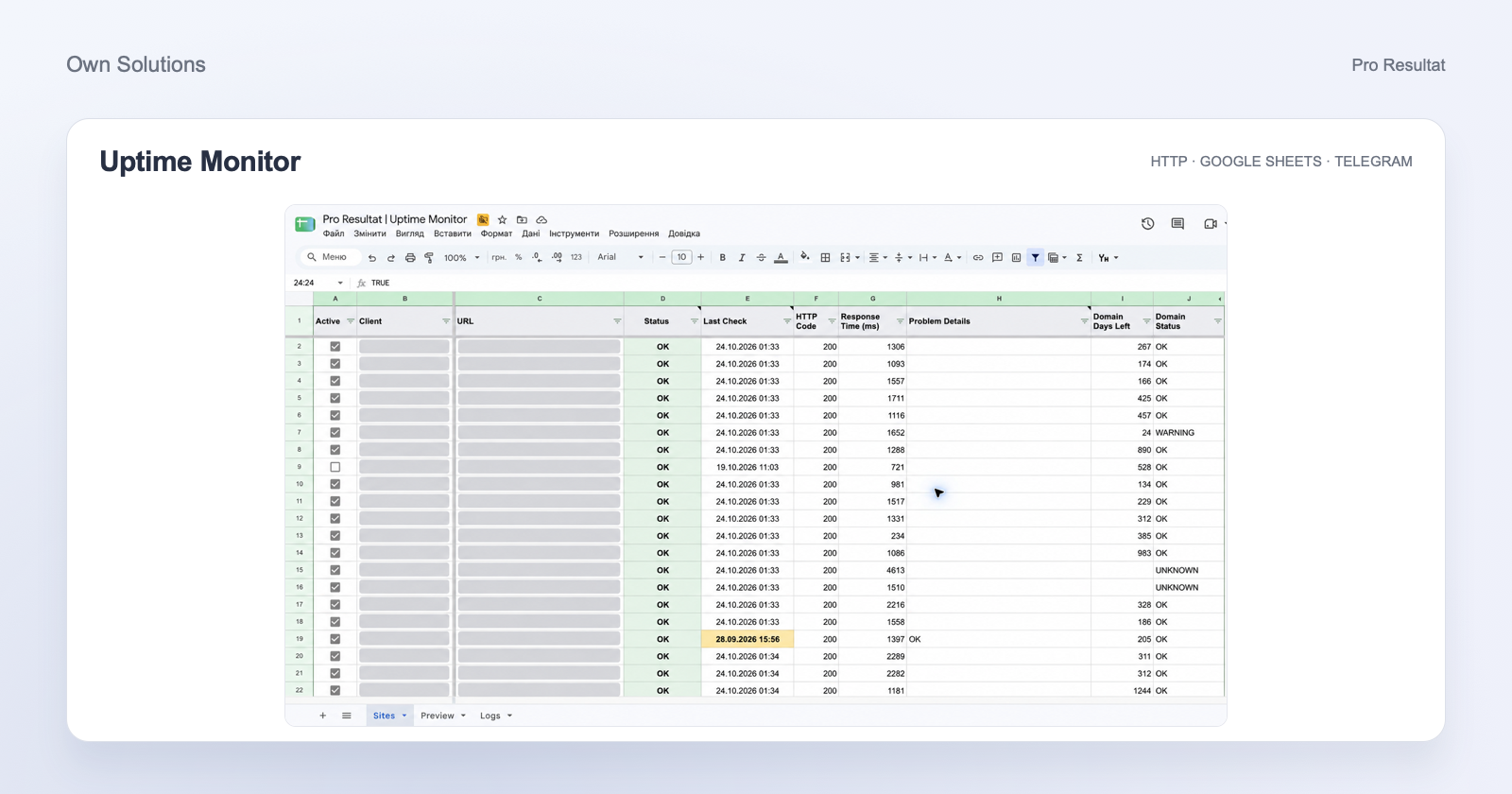
- Checks
- URLs and HTTP
- Alerts
- Telegram
- Workspace
- Google Sheets
- Full sweep
- ≈30 min
Spot website problems and get the team involved
A page will not open, the server responds slowly or advertising leads to an error page? Uptime Monitor regularly checks the URLs you add, confirms repeated failures and alerts your team in Telegram. You receive a shared website overview and information to start investigating.
The solution suits online stores, service websites and agencies managing many client websites. We configure checks, a shared spreadsheet and a Telegram chat for your list of URLs.
Website status in one overview
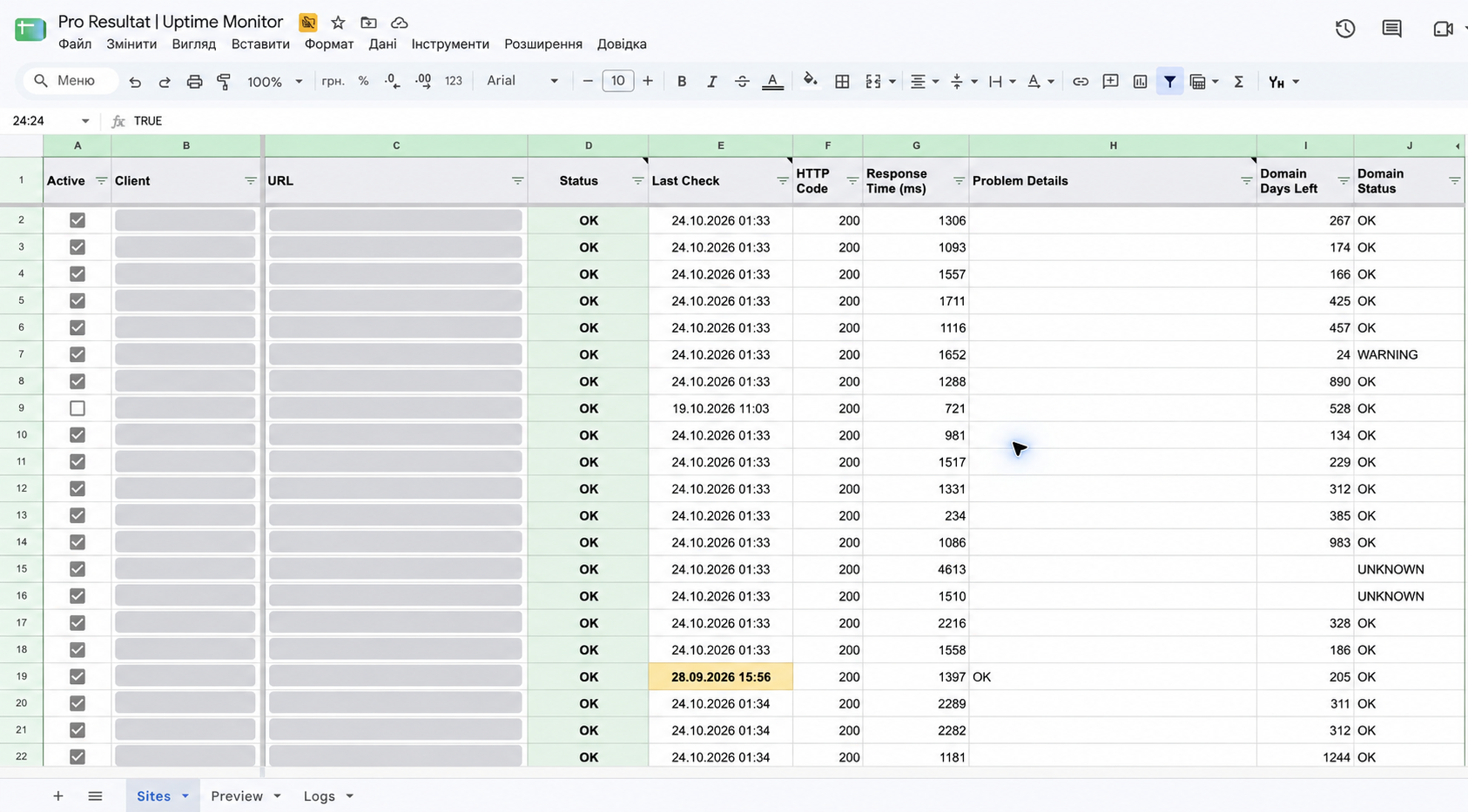
Google Sheets shows active URLs, current status, last-check time, HTTP code and response duration. Domain-registration expiry is shown separately. Checkboxes enable or disable monitoring, and stale results for active URLs are highlighted.
What Uptime Monitor checks
01
Page availability
External HTTP requests to added URLs, page and server errors, and recognised HTTPS connection problems.
02
Response content
Signs of critical WordPress errors, suspiciously short responses and an agreed expected phrase in the HTML.
03
Timing and domains
Request duration, slow-response flags and domain-registration expiry reminders.
Checks cover the URLs you explicitly add. An important landing page can be monitored separately from the homepage. The monitor reads HTTP responses and HTML; forms and checkout journeys require separate testing.
How a problem becomes an alert
- First failed check. The system records a suspected problem and waits for confirmation.
- Repeated failure. It creates an incident and a Telegram message containing the project, URL and problem description.
- Follow-up checks. It continues checking open incidents, with repeat alerts for prolonged problems.
- Recovery. A successful response updates the status. If the outage alert was delivered, the team receives a recovery message.
Automatic cycles run every 15 minutes. A full sweep of active URLs takes place approximately every 30 minutes; intermediate cycles check unresolved incidents. Detection time also depends on the number of URLs and service availability. Alerts go to one agreed Telegram chat.
A slow response and a failure are different states
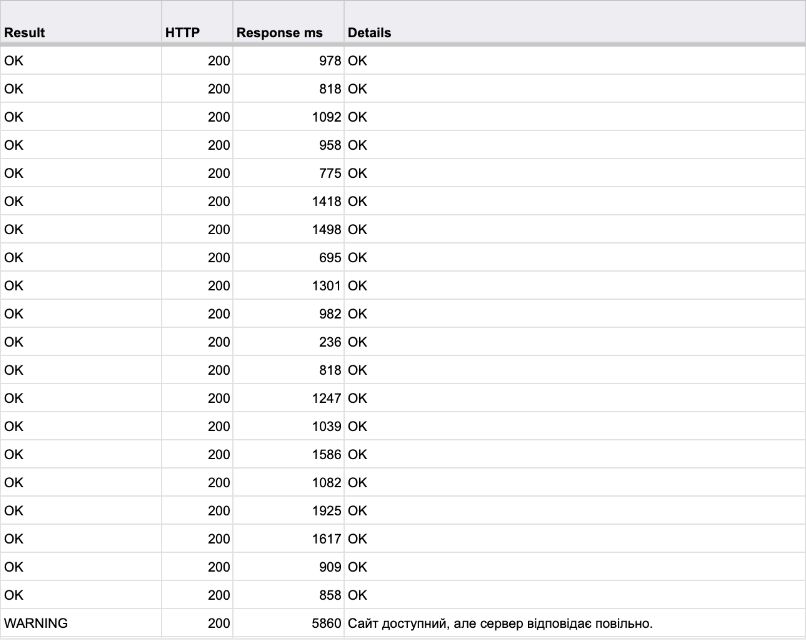
Check details show the result, HTTP code, request duration and explanation. In the example below, an HTTP 200 response taking 5,860 ms is marked WARNING: the page responded, but slowly. That warning appears in the spreadsheet without creating an outage alert by itself.
A history for investigation and support
The log records event time, type and description. Review suspected failures, recoveries and checking issues when investigating. A separate Preview mode shows the latest manual sweep without sending alerts or changing working incidents.
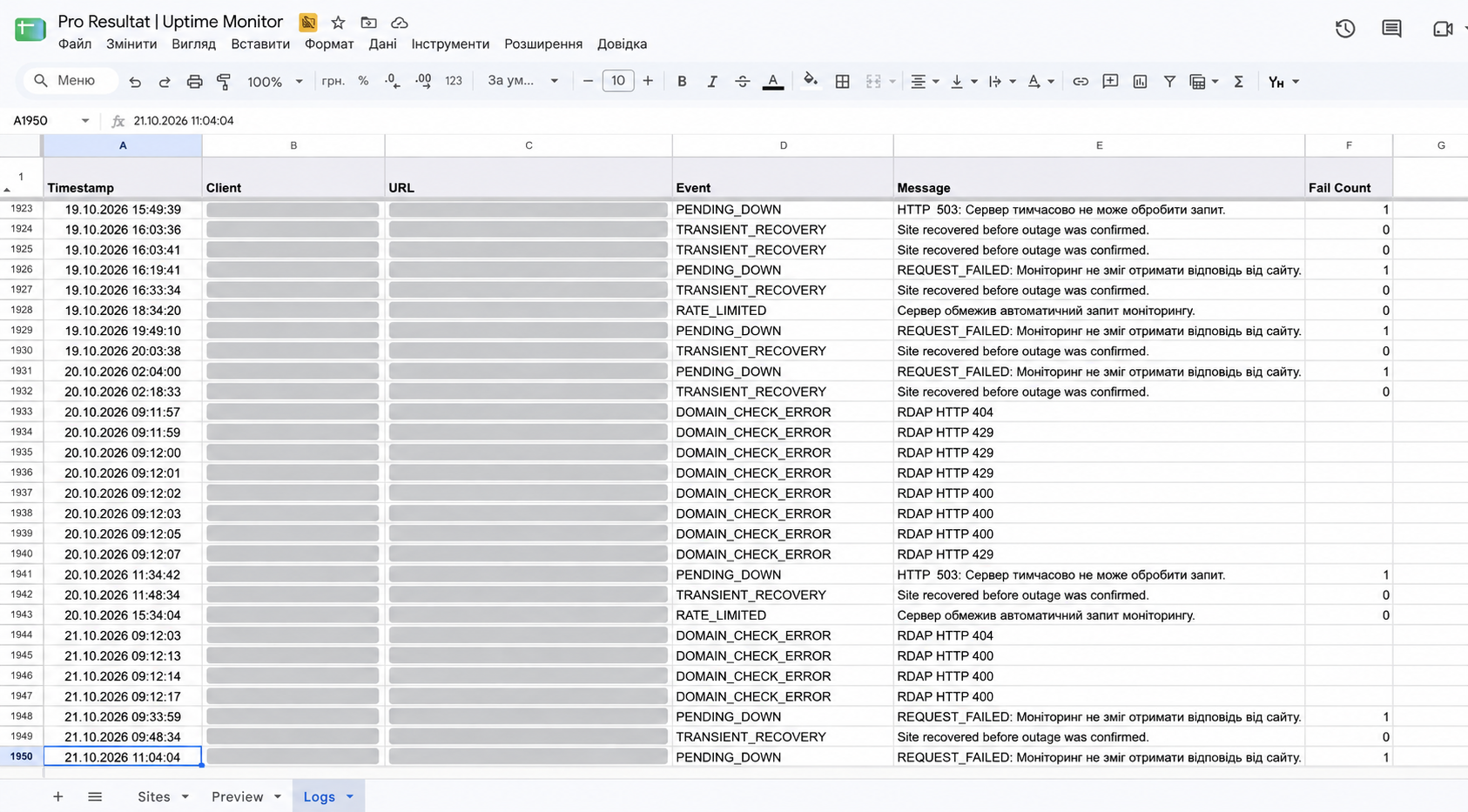
Blocked requests, rate limits and recognised CAPTCHA challenges have a separate classification. This helps the team distinguish repeated failures from situations needing another check from a different connection.
What your team receives
- One website list: current results and their timestamps.
- A clear signal: confirmed problems are sent to the working Telegram chat.
- Context for a specialist: the URL, error type and event history to start investigating.
- Domain reminders: expiry warnings when the date is available or entered manually.
Uptime Monitor detects and reports problems. The responsible team handles website recovery, code changes and advertising decisions.
Set up monitoring for your websites
Send the URLs and agree a Telegram chat for alerts. We configure the spreadsheet, checks and automatic runs, then verify the connection in quiet mode. Public pages do not require website code installation or admin access. We agree implementation and support around your requirements.