A suspicious order appears in your online store: unrealistic product quantities and an inflated value without a confirmed sale. A manager has to investigate the record, while the advertising specialist needs to check whether that “purchase” reached Google Ads. When this keeps happening, running the store turns into an ongoing data-cleaning exercise.
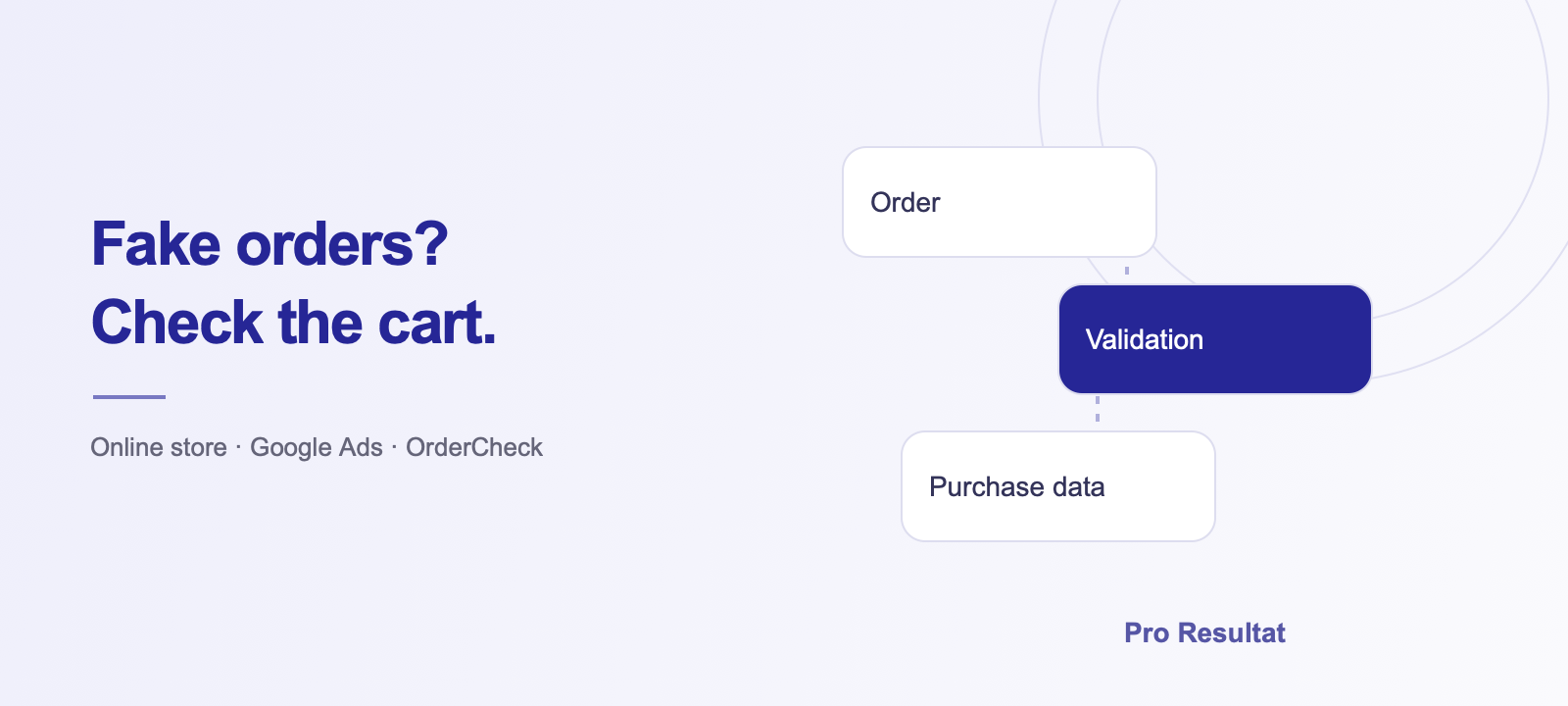
At Pro Resultat, we developed OrderCheck to validate orders and control the data a store reports to advertising. It validates the cart and purchase data so defined invalid events do not fire the configured Google Ads purchase tag. Here is what a store owner should check and how we help address the problem.
What suspicious orders look like
A large, confirmed order is a normal sale. A mismatch with your customers’ actual buying behaviour is a reason to investigate. Check whether the quantities, contact details and cart contents reflect a genuine intention to buy.
- Unrealistic quantities of a single product or across the cart.
- An enormous order value without a corresponding confirmed sale.
- Repeated anomalies that the team has to review manually.
- A sudden jump in advertising conversion value that does not match actual orders.
An unusual order alone does not establish its origin. We compare the store record, cart behaviour and purchase event. This lets us investigate the specific case and define a rule that leaves a clear path for genuine shoppers.
How fake purchases distort reporting and advertising optimisation
If a store reports purchases to Google Ads immediately after checkout, a fake order may be counted before a manager reviews it. The advertising report can then show a sale and value the business never received.
A hypothetical example: advertising costs UAH 10,000 and produces orders worth UAH 50,000 — a reported-value ROAS of 500%. Add one fake purchase worth UAH 1,000,000 and reported ROAS becomes 10,500%. Spend is unchanged and genuine sales have not increased, yet the result appears 21 times better.
This affects two levels of work:
- Team decisions. A campaign or product can appear more profitable than it is, leading to misguided budget decisions.
- Automated bidding. If that purchase is included in the goals used for campaign optimisation, Google Ads receives a false signal. Value-based strategies receive an incorrect purchase value; conversion-count strategies receive an incorrect conversion.
The impact depends on the conversion goals used and the scale of the anomaly. Google confirms that incorrect conversion data can affect Smart Bidding in its data exclusions documentation. We therefore check whether the order became an advertising optimisation signal as well as investigating the order itself.
Deleting a fake order in the store admin does not automatically retract the conversion already reported. Both new invalid events and the existing account history need attention.
What to check if the order already reached advertising
- Save the problematic order’s number, time, quantity and value.
- Identify the purchase events and conversion actions used by the store.
- Review delivery through the Google Ads tag, GA4 imports and other active integrations.
- Determine whether the specific conversion can be adjusted.
Google Ads supports value restatements and retractions for eligible conversions. Availability and the process depend on how the conversion was sent and its purchase identifiers. See Google’s conversion adjustment documentation. We begin by reviewing the measurement setup actually used in your account.
A Horoshop implementation: a fake order for over 2 billion units
A client running a Horoshop store shared an order with more than two billion product units. It gave us a specific store-side task: add quantity validation and control purchase data before delivery through the configured advertising tag.
In this project, we added custom cart and advertising-event checks to a Horoshop store. The integration extends checkout to meet the store’s requirements. OrderCheck can also be adapted to other websites after reviewing their structure and available integrations. The case study shows the integration and how it works on the website.
How Pro Resultat helps resolve the problem
We review the complete order journey: cart, checkout, purchase event and Google Ads reporting. We compare these with store records to identify where the error starts.
- Find the source. We review suspicious orders, active tags and purchase imports, including possible duplication.
- Configure checks. Where the problem fits OrderCheck’s workflow, we add cart rules and purchase-data control before the configured advertising tag.
- Review advertising data. We analyse conversions already reported and available adjustment options. We test a normal purchase, a triggered rule and a corrected cart.
You receive implementation and support from one team that understands both the website and advertising. Problems involving direct server requests or other import channels are assessed for separate integration work.
How to keep checkout convenient for genuine shoppers
Limits should account for wholesale purchases, bundles and catalogue requirements. A shopper exceeding an agreed threshold needs a clear way forward: adjust quantities or contact the store to place the order.
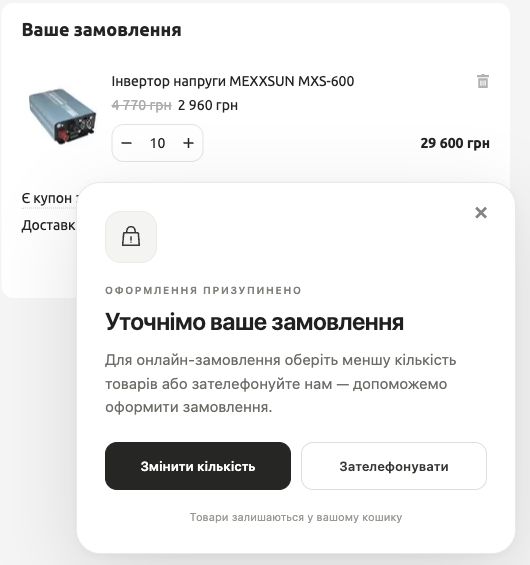
In the agreed site check, a message appears at the quantity threshold and disappears after correction. Products remain in the cart. The OrderCheck case study linked above shows the interface, logs and management features. Large, confirmed orders should remain possible. We therefore test the rules against normal purchases and agree them with your team before launch.
Can order checks be implemented on your website?
The problem can occur on different CMS platforms, depending on cart settings, checkout rules and purchase reporting. We review what already works on your website and determine where additional validation is needed: on the page, in conversion reporting or on the server. We then agree the implementation approach.
If purchase measurement needs a broader review, we can include web analytics setup. We also configure CRM integrations and manage Google Ads. If the issue goes beyond one cart check, we can handle the related website, data and advertising work.
What a store owner can do now
Send your store URL and one or two examples of abnormal orders with customer personal data removed. If you have already noticed a conversion-value spike, include the period and advertising platform. That is enough to start discussing the task.