Placement Quality Monitor: automated Google Ads placement reporting
A Pro Resultat tool for PPC teams: collects available Google Ads placement data and builds campaign-type reports, a dashboard and a run log in Google Sheets.
View the results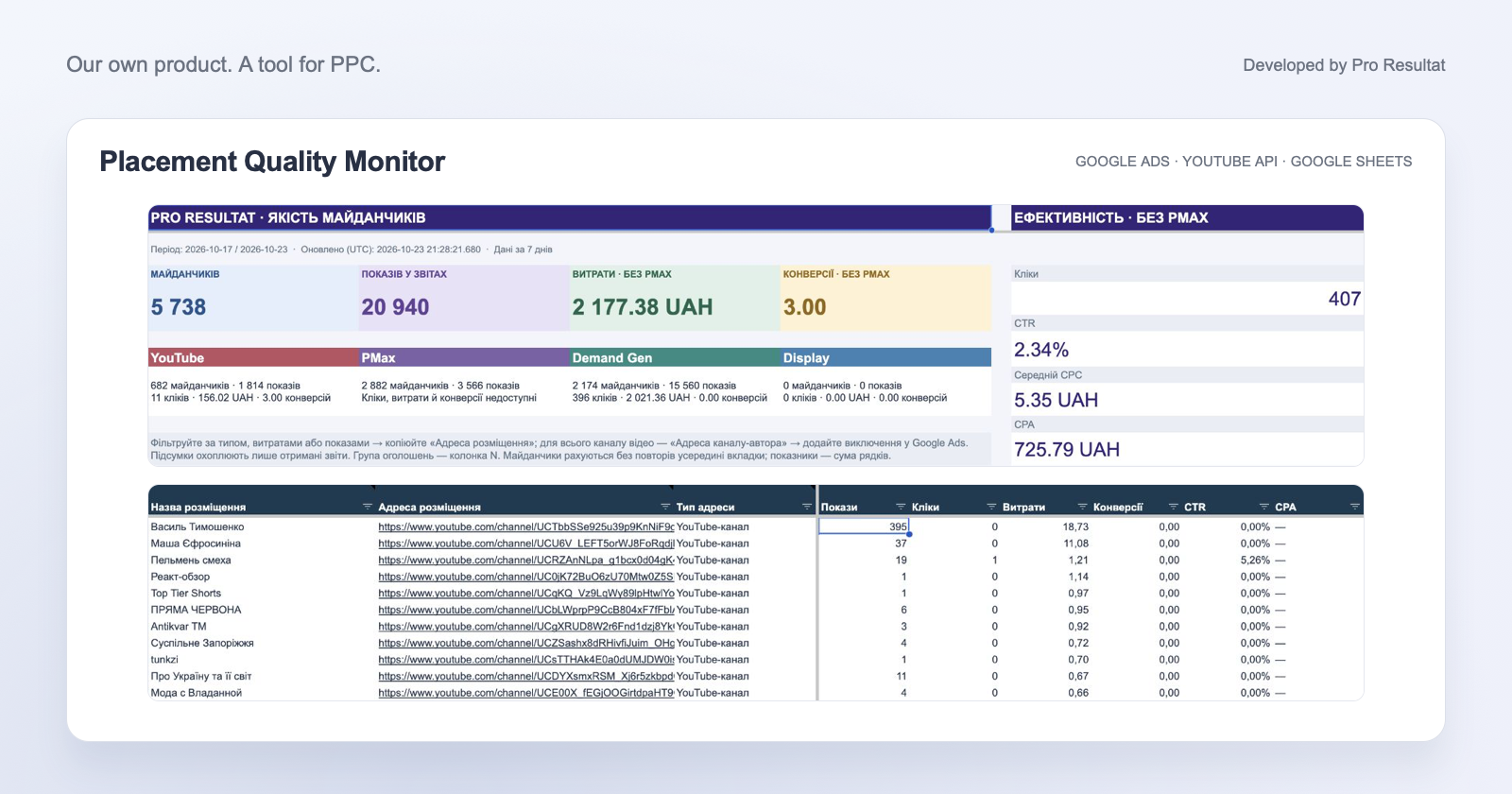
- Campaign types
- 4
- Workspace
- Google Sheets
- Reporting period
- 1–30 days
- Exclusions
- After review
Google Ads placements in one workspace
Where do your ads appear, and which placements need review? Placement Quality Monitor brings available YouTube, Performance Max, Demand Gen and Display reports into one Google Sheets workspace. You receive placement lists, metrics, an overview and a run log without moving each report manually.
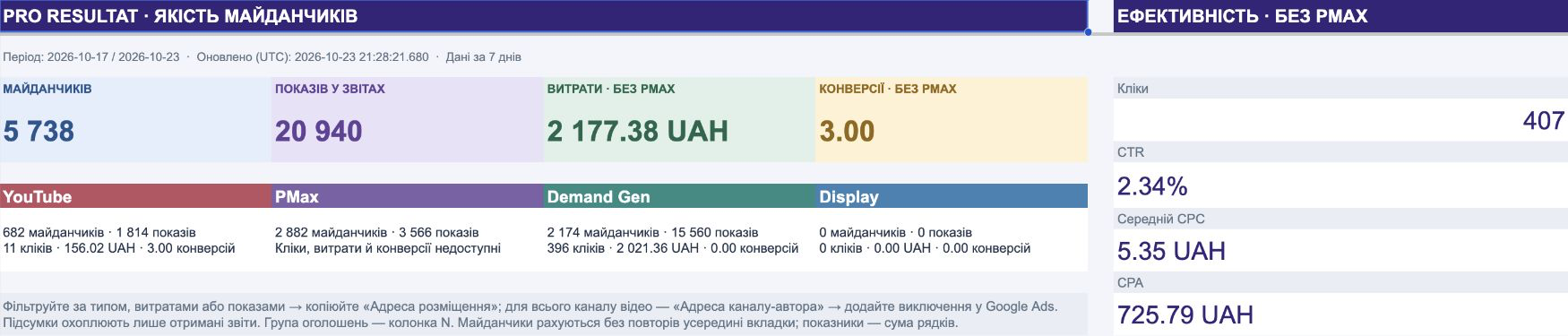
An overview by campaign type
The dashboard shows impression distribution and available metrics. The example for 17–23 October 2026 contains 20,940 impressions and 5,738 placements counted uniquely within each tab. An address can appear in multiple tabs. Overview cost, clicks and conversions cover the collected reports excluding PMax, rather than the entire advertising account.
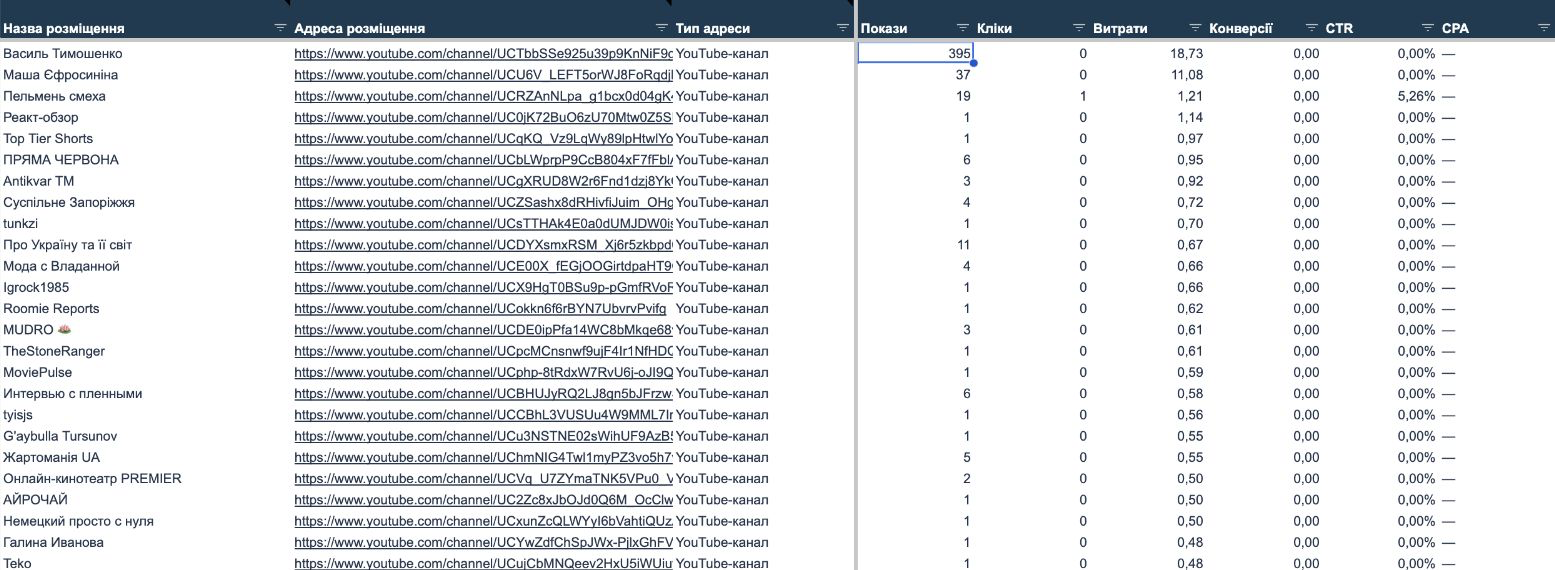
From placement lists to campaigns and ad groups
For YouTube, Display and Demand Gen, each row combines a campaign, ad group and placement. You can review the context even when an address appears in different groups. Tables include impressions, clicks, cost, conversions, CTR and CPA within the available placement reports.
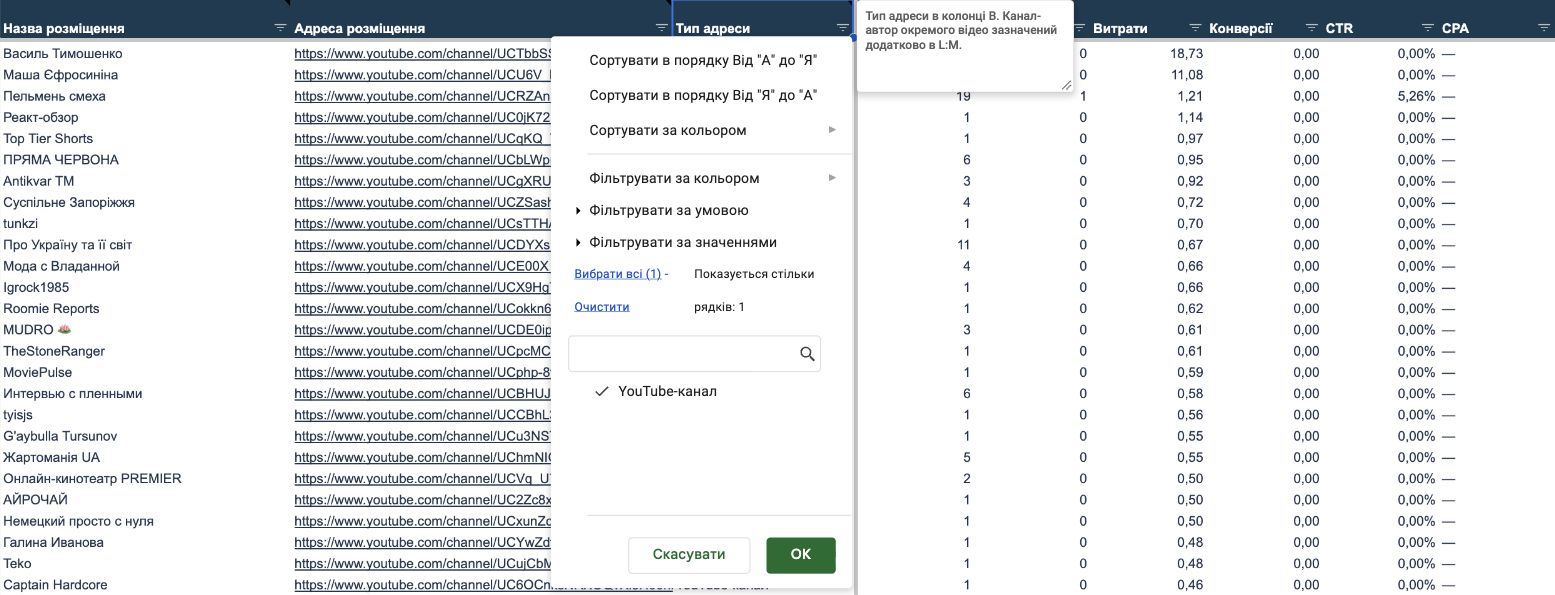
Filter placements for review
Standard Google Sheets filters help you find an address type, campaign, group or metric value. For example, select placements with spend and no conversions, then review their content. Sorting and search work in the table; the dashboard continues to summarise the full collected snapshot.
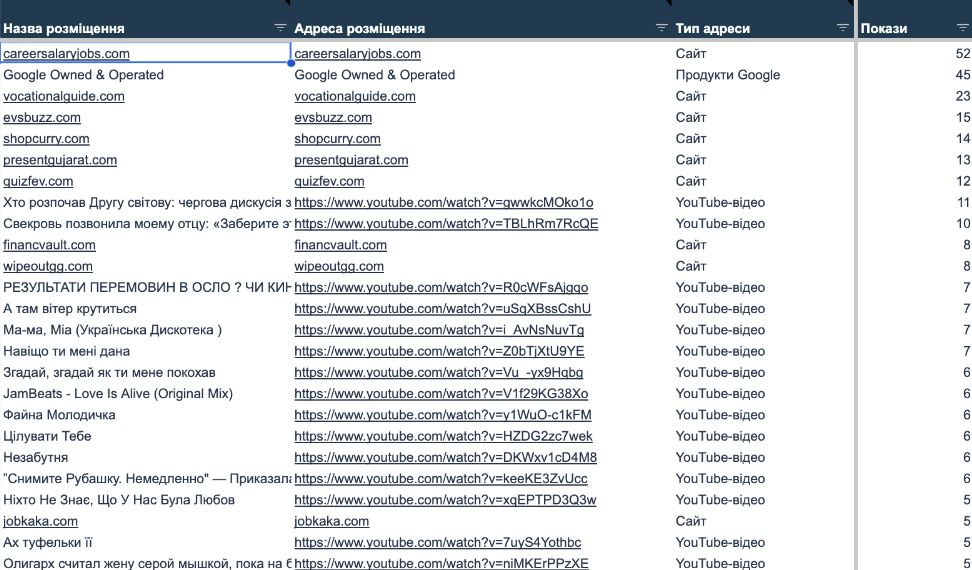
Performance Max: placements without unnecessary columns
PMax provides campaign, placement and impression data. Cost, clicks, conversions and ad-group columns are hidden because this report does not provide them. A tab may contain websites, videos, apps and aggregated Google properties.
Review a video and its creator channel
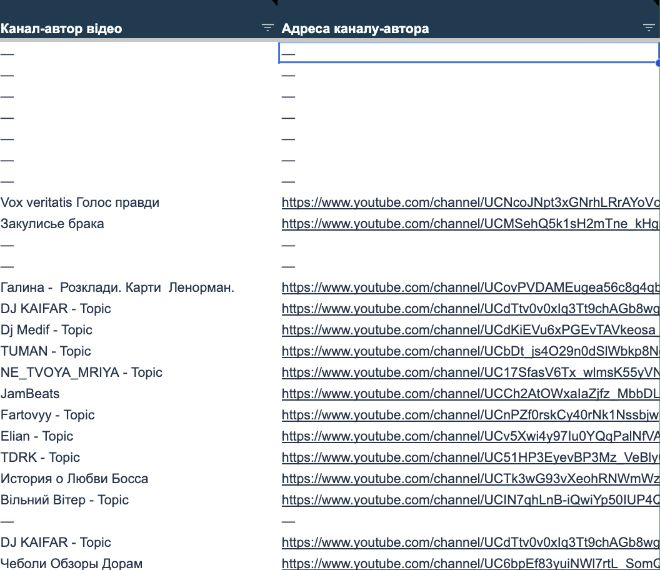
YouTube Data API adds a creator channel name and address to individual videos when available. You can review a specific video or its entire channel and choose the scope of an exclusion. Channel-level placements already contain their address in the main columns, without duplication in creator fields.
From data to informed exclusions
The tool automates report collection, formatting and updates. A specialist reviews placement content, selects addresses and manually adds supported exclusions in Google Ads. Aggregated entries such as Google Owned & Operated require checking the available exclusion options.
Set up for your PPC team
We agree on the Google Ads account, a dedicated spreadsheet and access permissions. Setup includes a reporting period of 1–30 completed days, YouTube enrichment and manual or scheduled runs. A successful refresh replaces the current snapshot; the run log helps track freshness. Each account uses its own workspace.
The tool supports Google Ads management and web analytics workflows. Explore another of our own tools: Google Ads Colorizer.