Product Value Monitor: product availability and advertising value
A Pro Resultat solution connecting Google Ads and Merchant API: product availability, advertising eligibility and historical value in Google Sheets.
View the results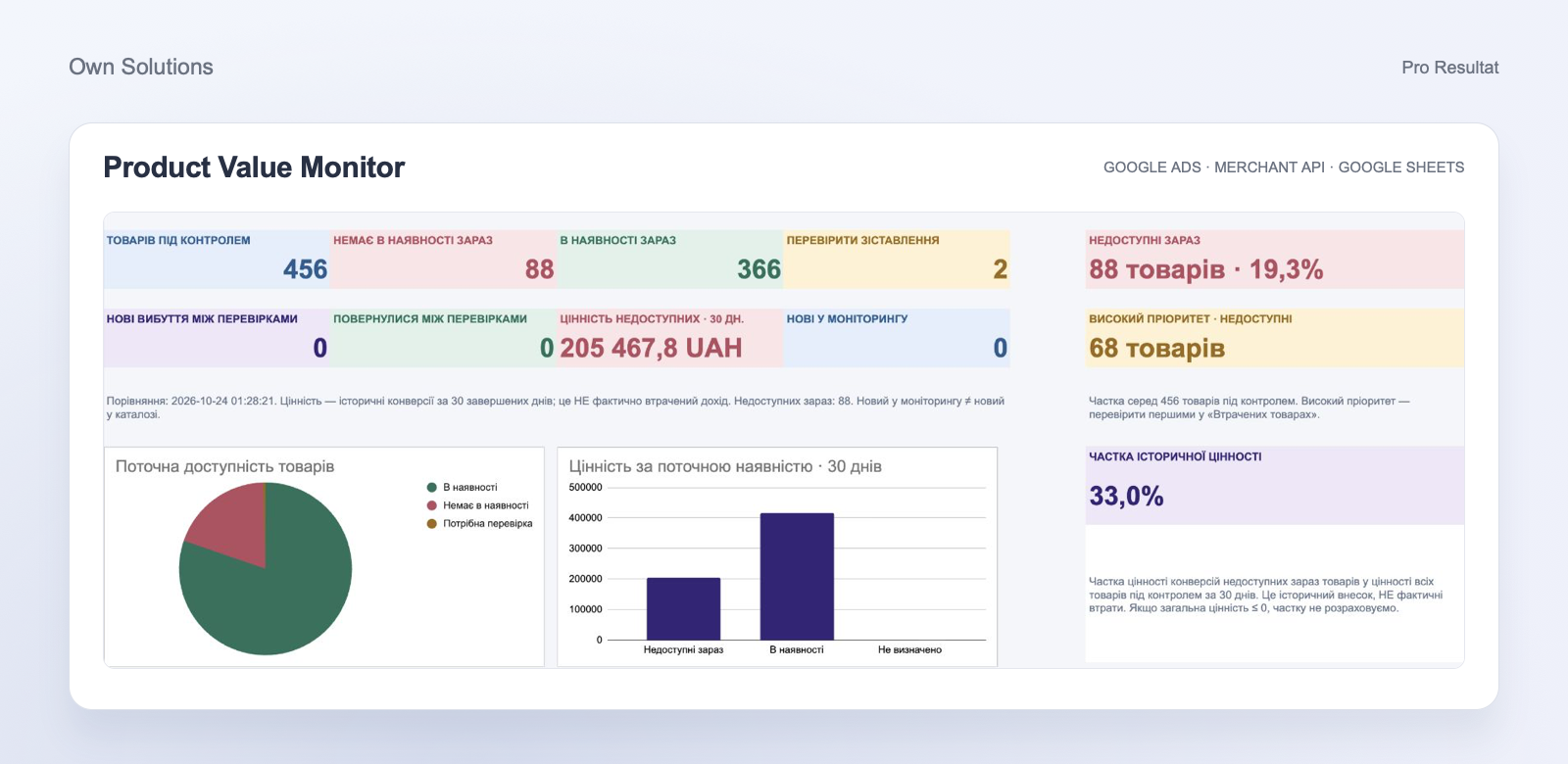
- Sources
- Ads + Merchant API
- Workspace
- Google Sheets
- Priorities
- Value and clicks
- Refresh
- On each run
Know which products need attention first
A product is out of stock — but how important is it to bring it back? Product Value Monitor places current product status alongside advertising history. You see review priorities, Merchant Center issues and changes between runs in one Google Sheets workspace.
The solution helps PPC specialists and store teams agree what to investigate first: an important product’s availability, feed data or Shopping Ads eligibility.
Two data sources, one working report
Google Ads
Impressions, clicks, spend, conversions and conversion value for the selected period.
Merchant API
The current catalogue, availability, product attributes, Shopping Ads eligibility and Merchant Center issues.
01
Match
Connect advertising history to the corresponding product and catalogue variants.
02
Prioritise
Use historical conversion value and clicks to order the review.
03
Report
Update the dashboard, working lists and history in Google Sheets.
Dashboard: the current product picture
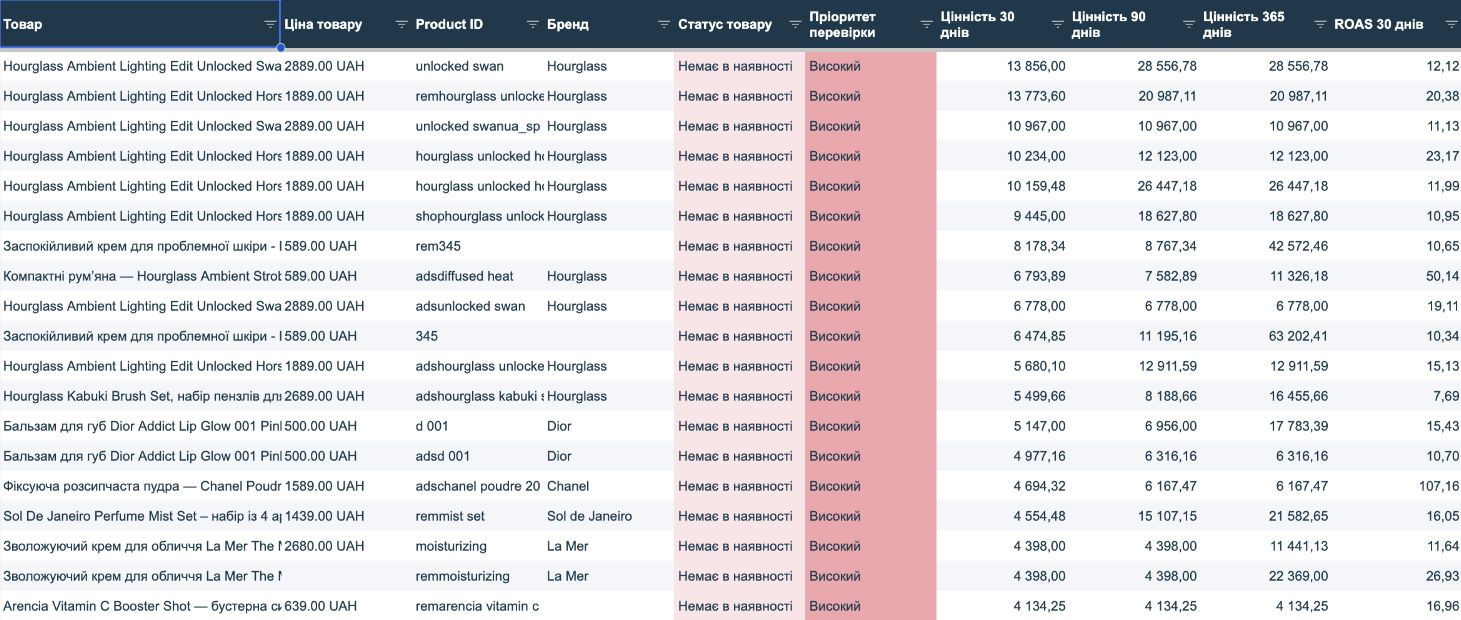
The overview shows current availability, new stock-outs and returns between checks, historical conversion value and high-priority products. Current status and changes between checks are shown separately.
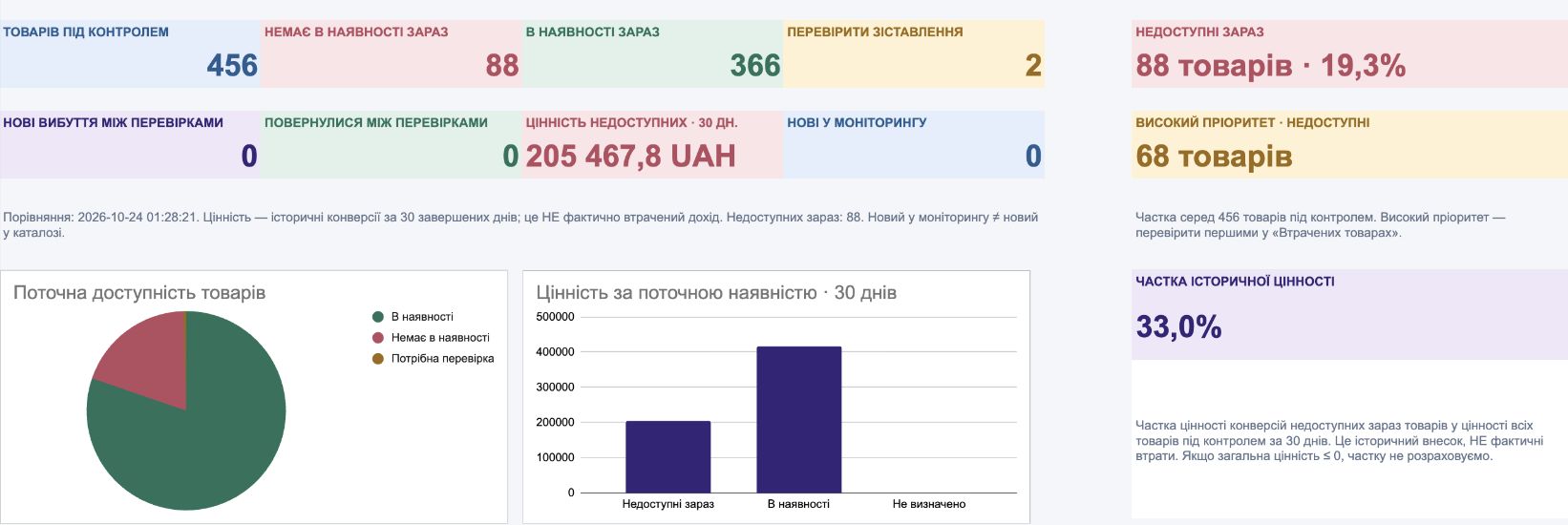
The 24 October 2026 snapshot covers 456 advertising Product IDs: 88 unavailable, 366 in stock and two requiring matching review. Unavailable entries account for UAH 205,467.80 in historical conversion value for 24 September–23 October, or 33.0% of the monitored set’s value. This represents their past advertising contribution over 30 completed days, rather than lost revenue.
Start with the most important unavailable products
The unavailable-product list is ordered by priority and value. In the snapshot, 68 entries have high priority. A specialist can review 30-, 90- and 365-day advertising metrics and give the store manager a focused list for replenishment checks. Priority thresholds can be configured for the task.
Merchant diagnostics: availability and advertising eligibility
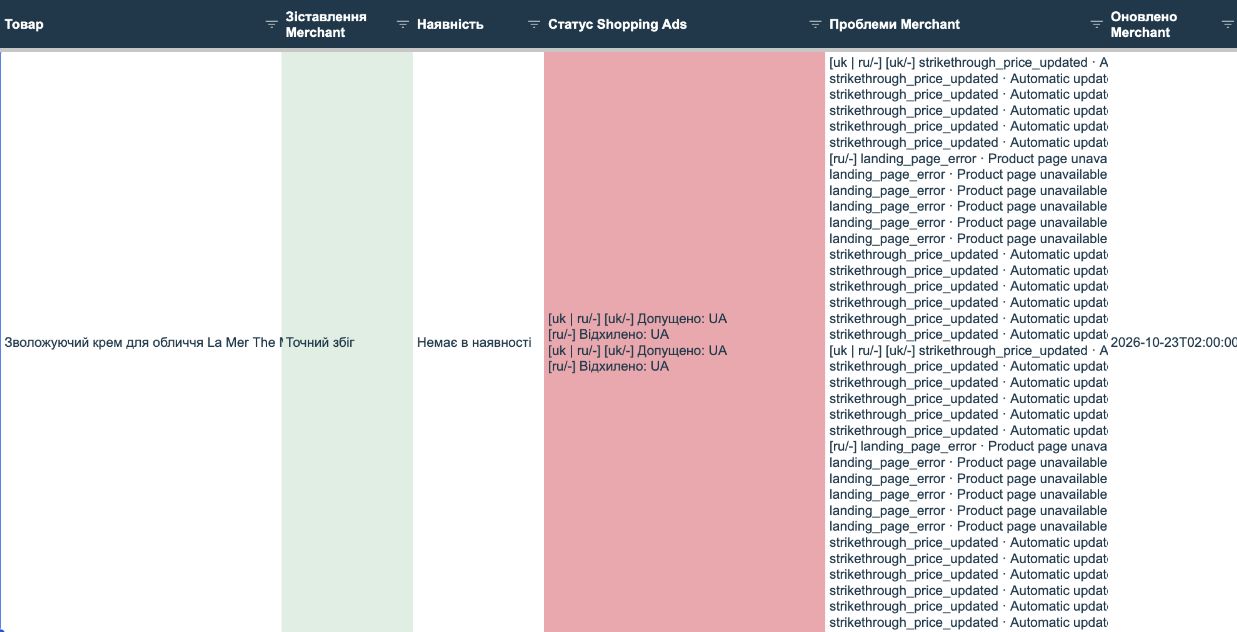
Merchant API adds current product attributes and diagnostics to advertising data. The report shows matching method, availability, Shopping Ads status by variant, issue messages and source-update time. The team can separate replenishment questions from feed or landing-page issues.
Ambiguous products have a separate review queue
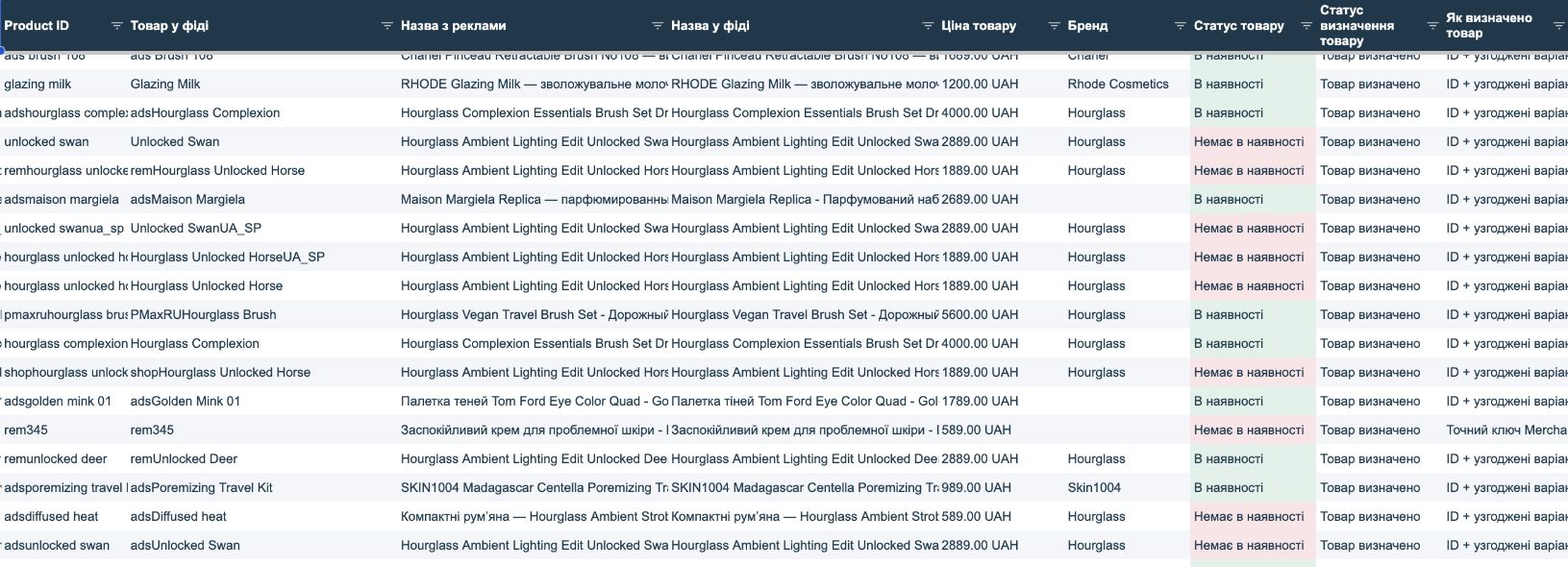
Matching considers product identifiers, language and feed variants. An entry without a reliable match goes into review rather than being assumed out of stock. Different prices across otherwise consistent variants do not prevent availability identification; an ambiguous price is left unset.

View current statuses and changes between checks
The first successful run establishes a comparison baseline. Later runs show recorded stock-outs and returns. When matching improves, the change is labelled as product re-identification.

What your team receives
- PPC specialist: advertising history, Merchant statuses and priorities in one report.
- Store manager: a focused list for reviewing availability and product data.
- Business owner: a shared basis for coordinating store and advertising work.
The system refreshes the report on each run and prepares information for decisions. The responsible team makes changes to advertising, inventory and the feed.
Connect Product Value Monitor to your store
We review Google Ads and Merchant Center sources, agree the monitored product set, assessment period and priorities, then configure the report and refresh workflow for your team.
The solution supports Google Shopping and Google Ads management by connecting product review with advertising data.